Last verified July 13, 2026. Every step below was checked against Google’s live tool and a paid TrendTrack account.
Most people open the Google Ads Transparency Center, type in one competitor, glance at three ads, and close the tab. That is maybe 10% of what the tool actually does.
Used properly, it is the closest thing Google has ever shipped to a public ad library, and it is completely free. Used lazily, it just confirms that yes, your competitor runs ads. This guide covers the full tool, then shows you exactly where it stops and what fills the gap. It is one rung of a longer ladder, laid out in how to spy on competitors’ ads.
The Google Ads Transparency Center is Google’s free public database of ads, at adstransparency.google.com. Search any verified advertiser or domain to see the Search, YouTube, Display and Shopping ads it is running, filtered by region, date and format. No account needed.
Disclosure: some links on this page are affiliate links. If you subscribe through them we may earn a commission at no extra cost to you. We tested every TrendTrack feature mentioned here on a paid account.
Free, no login, no limit
What the Google Ads Transparency Center actually is
Google launched the Transparency Center to comply with advertiser disclosure rules. Every advertiser that runs ads on Google now has to verify its identity, and their live creatives show up here for anyone to see.
You do not need a Google Ads account. You do not need to be logged in. You type a brand or a website, and you get the ads it is running across Google’s networks.
Here is the part that trips people up. A huge number of searchers look for a “Google Ads Library” because they know the Facebook Ad Library and assume Google has a twin. It does, but it is not called that. The Google Ads Transparency Center is the official tool, and it actually covers more ad surfaces than Meta’s version. If you searched “google ads library” and landed here, this is the page you wanted.
One honest caveat before you rely on it. The Transparency Center only shows verified advertisers currently running ads in the region you check. A brand that paused its campaigns, or that has not completed Google’s advertiser verification, can show up thin or empty. An empty result does not always mean a competitor spends nothing, it can mean you are looking at the wrong region or a quiet week. Read absence as a question, not an answer.
What you would actually use it for
Before the mechanics, the reasons you would open it in the first place. This is where most of the value sits, and where most people stop too early.
Track a competitor’s live ads
Type a competitor’s brand or domain and you see what they are running right now, across Search and YouTube. You learn which products they push, what promises they lead with, and which formats they bet on.
For an e-commerce operator, that is a free read on positioning. If a rival suddenly floods Search with a new product line, you see it here before it shows up in your own sales dip.
Validate an angle before you spend
If three of your competitors all run the same hook, that angle is proven in your niche. If nobody runs it, you are either first or wrong.
The Transparency Center will not tell you which, but it shows you the field before you pay to enter it. That alone can save a wasted test budget.
See what a brand tests on YouTube
This is the surface people forget. The tool shows a brand’s video ads, not just text. For anyone running or planning YouTube campaigns, that is a free look at the creative a competitor is willing to fund.
Video production is expensive, so a live YouTube ad is a strong signal a brand believes in that concept. Reading those creatives is one of the cheapest forms of competitive research there is.
Read a competitor’s Shopping ads
Shopping is the surface most e-commerce sellers care about, and it is right there in the Transparency Center. You see the product images and titles a competitor runs, which tells you what they are actively pushing into the market.
Pair that with your own catalog and you spot two things fast: products your rivals promote that you also carry, and categories they lean on that you have ignored. It is a free demand signal, drawn straight from where competitors put their money.
| What you want to see | In the Transparency Center |
|---|---|
| The actual ads a brand runs | Yes |
| Which ad is winning | No |
| How much they spend | No (except some political ads) |
| How long an ad has run | Limited |
| Competitors you do not already know | No |
How to use the Google Ads Transparency Center, step by step
The mechanics take about two minutes to learn.
Search an advertiser or domain
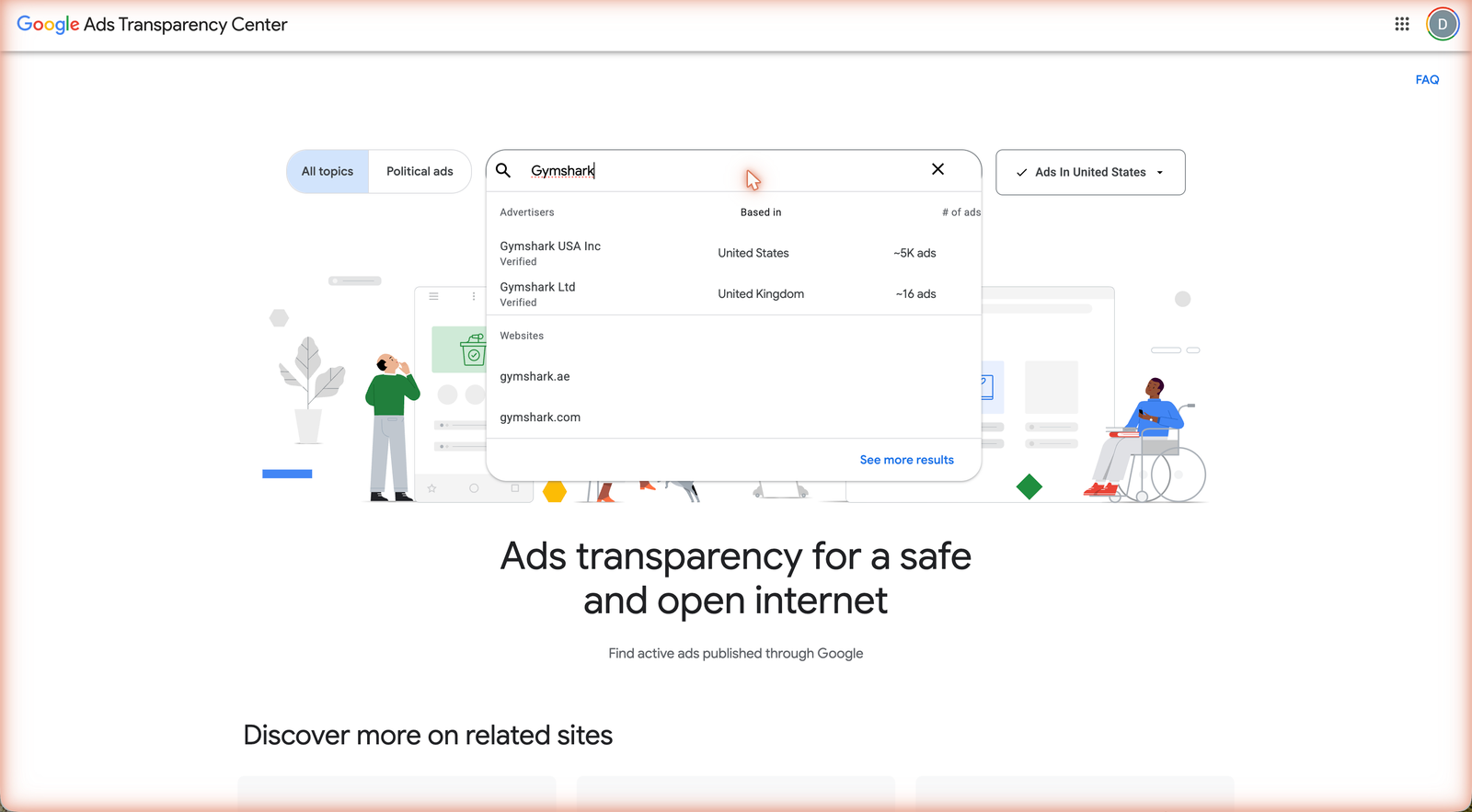
Go to adstransparency.google.com and type a brand name or a website. Pick the right advertiser from the suggestions.
Verified advertisers show a location, which is your first credibility check on who is actually behind the ads. A mismatch between the brand you expected and the verified region is worth noticing.
Filter by region, date and format
This is where the tool earns its keep. Narrow by country, so you see the ads aimed at your market rather than a global blur. Narrow by date to see recent activity. Narrow by format to isolate video from text.
Skipping the region filter is the single most common mistake. A US seller studying US intent does not want a competitor’s German Search ads in the mix.
Read an ad card, and what “verified advertiser” means
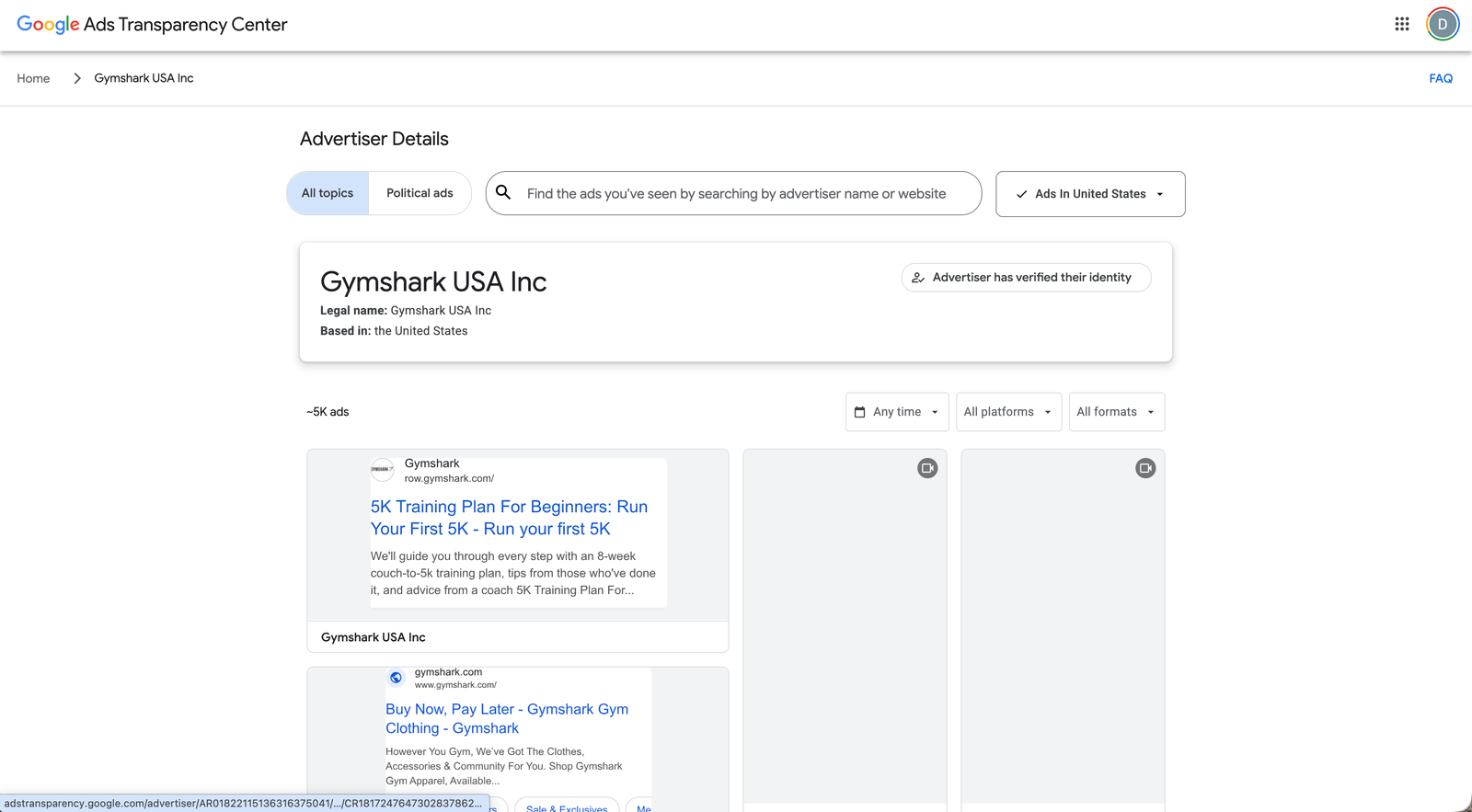
Each ad shows the creative, the format, and when it was last shown. Click through to see the full unit and the surface it ran on.
“Verified advertiser” means Google confirmed the identity behind the account. It does not mean the ad performs well. It only means the advertiser is who they claim to be, which matters more for spotting scams than for judging strategy.
Pay attention to the last-shown date on each card. An ad still live today has survived long enough to be worth a closer look, while one that stopped weeks ago may have been a test that failed. The tool does not rank ads for you, so this date is the closest thing to a performance clue you get natively. Treat a long-running ad as a hint, then confirm the pattern before you copy anything.
Google vs Meta ad transparency
If you already use the Facebook Ad Library, the trade-off is worth understanding. Google covers more surfaces. Meta shows more depth per ad, especially reach in the EU and UK.
Neither tool ranks ads by performance, and neither lets you search by keyword across every advertiser at once. Those are platform limits, not quirks, and they are exactly why dedicated ad spy tools exist.
The practical takeaway is to use both. If your competitors sell through Search and Shopping, the Transparency Center is your primary window. If they live on Instagram and Facebook, the Ad Library shows you more per ad. Most serious e-commerce brands run everywhere, so checking one platform and calling it competitive research leaves half the picture out.
YouTube
Display
Shopping
| Dimension | Google Transparency Center | Facebook Ad Library |
|---|---|---|
| Surfaces | Search, YouTube, Display, Shopping | Facebook, Instagram |
| Reach or spend | No (non-political) | EU/UK reach shown |
| Search by keyword | No, by advertiser | Yes, by keyword |
| Winner signal | No | No |
Related guide
Facebook Ad Library: The Complete Guide
The Meta side of the same job, with EU/UK reach on every ad.
Where the Transparency Center stops, and what fills the gap
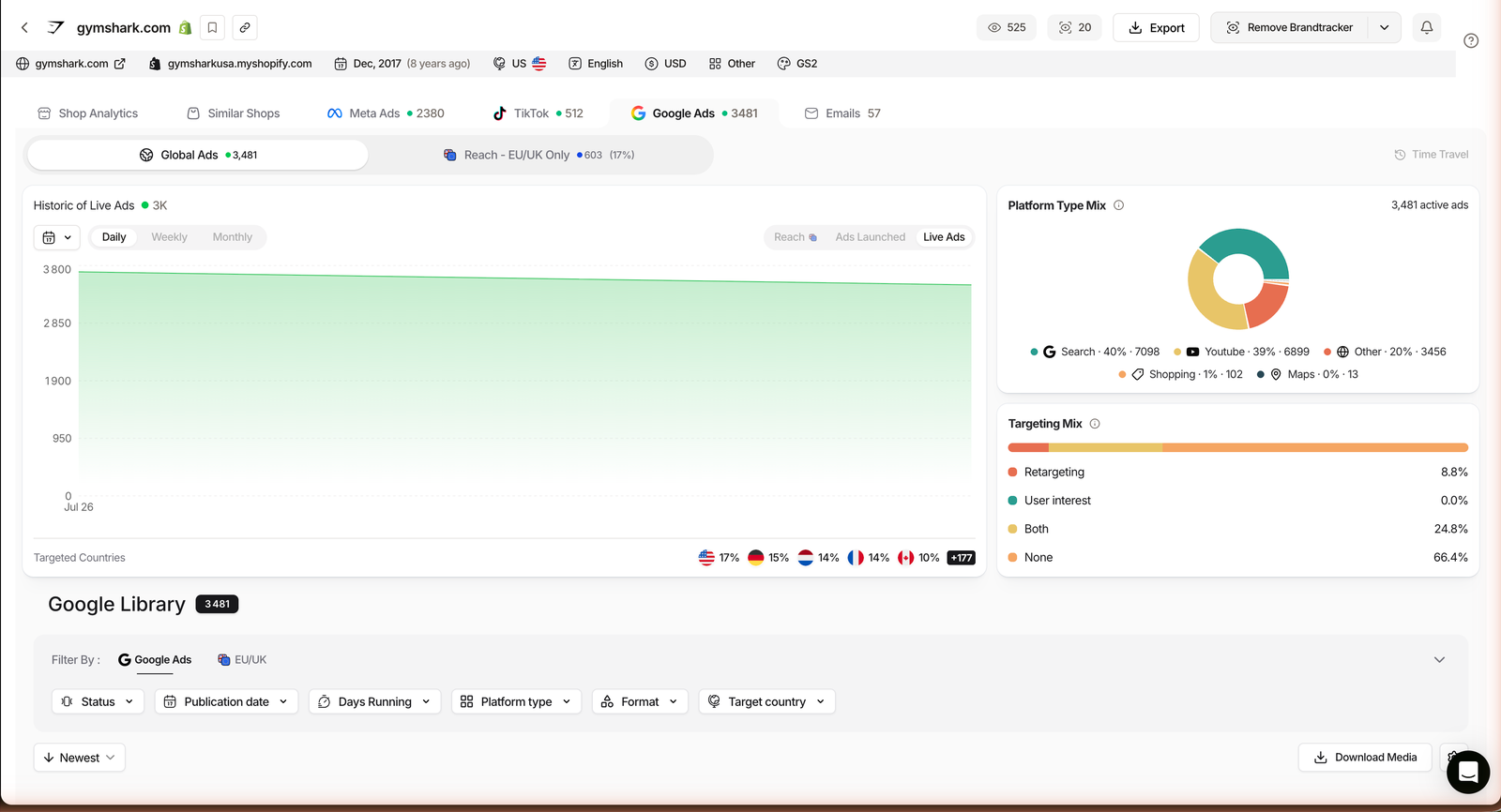
The free tool is genuinely good. It is also built to show ads, not to help you win. Four gaps show up the moment you use it for real competitive research. We tested each one against a paid TrendTrack account, which added Google as its third ad platform on July 1, 2026, alongside Meta and TikTok.
It will not tell you which ad is winning
The Transparency Center lists ads flat. Nothing marks the creative that is actually carrying a brand’s spend. You are left guessing which of twenty ads matters.
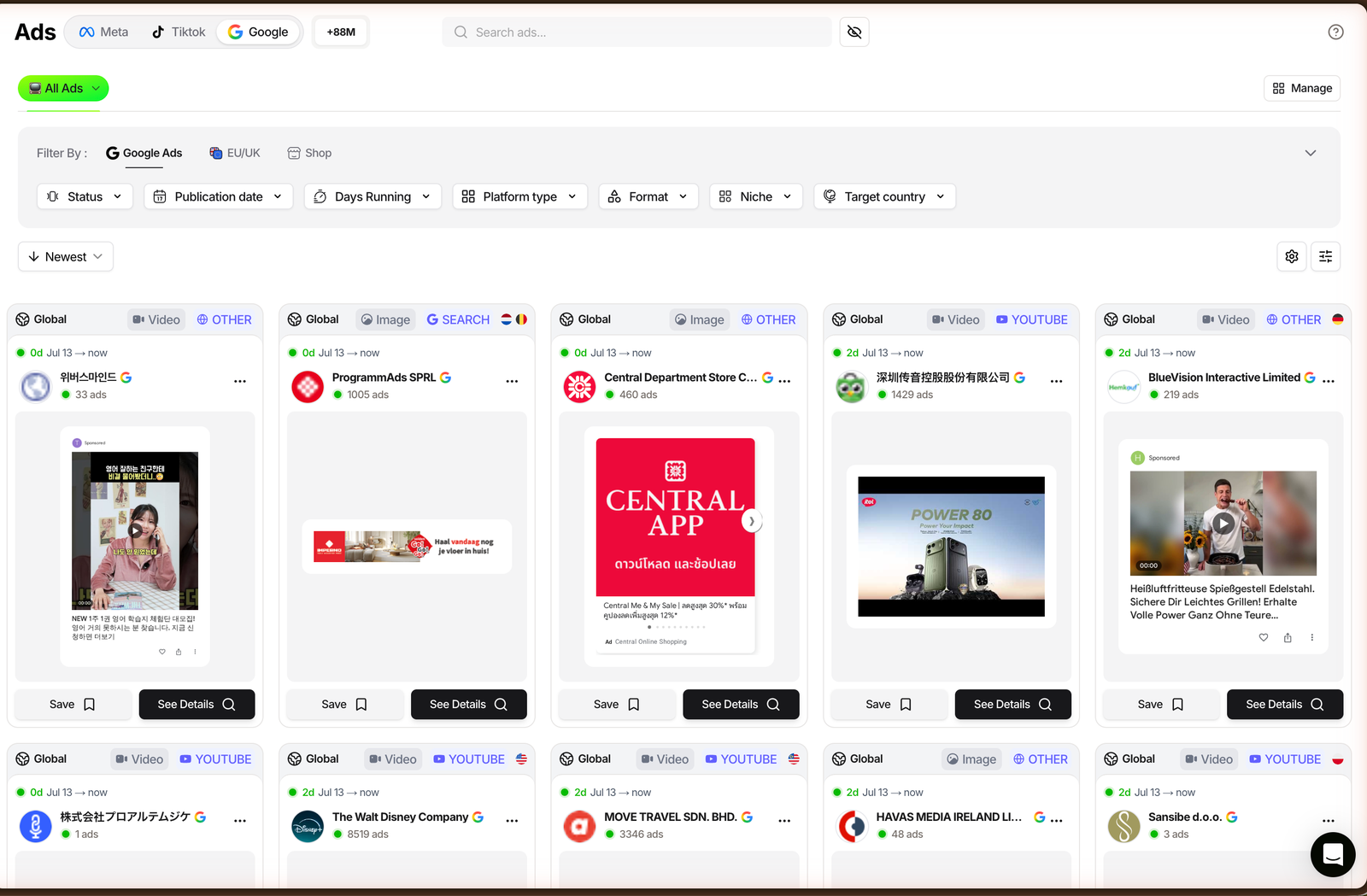
TrendTrack layers a ranking on top of the raw ads, so the creatives most likely to be scaling float up instead of hiding in a list. That single signal is the difference between browsing ads and reading a strategy.
It matters because the winning ad is the one worth studying. A brand might have twenty live creatives and put 80% of its budget behind two of them. In the free tool those two look identical to the eighteen tests around them. Ranking is what separates the ad you should model from the noise.
Related guide
Google Ads Spy: See Any Brand’s Search & YouTube Ads
The step-by-step on spying Google ads inside TrendTrack.
It will not show real spend
Outside political ads, there is no budget data at all. You cannot tell a $500 test from a $50,000 campaign.
TrendTrack reads estimated spend from EU and UK ad transparency rules, which expose real reach. It is a firm signal on Meta and a directional one elsewhere, but it turns “they run ads” into “their budget looks roughly like this.”
It will not surface competitors you do not already know
The Transparency Center only answers questions about a name you already typed. It cannot hand you the ten stores in your niche you have never heard of.
Because TrendTrack’s Google Ads module indexes over 337M ads and 1.87M stores with full-text search and niche filters, discovery runs the other way. You start from a product, an angle or a category, and the competitors come to you. It is the difference between checking one Google Ads Library entry and searching the whole market at once.
It will not keep a running history
The public tool is a snapshot of what is live now. It does not chart how long each ad has run or when a brand ramped a test.
TrendTrack keeps timelines, so you can see an ad’s lifespan and spot the moment a competitor doubled down. Longevity is one of the most reliable proxies for a winning ad, and the free tool simply does not track it. The same view sits inside the full Ads library, across Meta, TikTok and Google in one place.
Ad ranking surfaces likely scalers
Ads module
Estimated spend from EU/UK reach
EU/UK data
Full-text search across 337M ads
Ads module
Ad lifespan timelines
Brandtracker
Plan check: TrendTrack’s Ads module, Google included, starts on Pro. The Starter plan covers the Shops database but not ad spy.
See it on a free TrendTrack account
When the free tool is all you need
None of this means you should skip the Google Ads Transparency Center. For a quick check on one advertiser you already know, on zero budget, it is the right tool and paying for anything else would be overkill.
The honest split is about frequency and depth. Occasional lookups stay free. Weekly competitive research, where you track budgets, discover new players and watch which ads survive, is where a paid tool pays for itself.
A simple test: if you find yourself typing the same five competitors into the Transparency Center every Monday, copying screenshots into a doc, and trying to remember which ad was there last week, you have outgrown the free tool. That manual routine is exactly the work a spy database automates, with the winner ranking and history the public tool never had. Until you hit that point, the free tool is not a compromise, it is the correct choice.
Use the Transparency Center for
- A quick look at one known advertiser
- Checking a brand’s YouTube creative
- Free, occasional research
Reach for a spy tool when
- You need the winning ad, not all ads
- You want to discover unknown competitors
- You track budgets and history over time
FAQ
Is the Google Ads Transparency Center free?
Yes. It is a free public tool at adstransparency.google.com, with no account required. It shows ads from verified advertisers across Search, YouTube, Display and Shopping.
Is there a “Google Ads Library” like the Facebook Ad Library?
Not under that name. People search “Google Ads Library” expecting a Meta-style tool. The official equivalent is the Google Ads Transparency Center. It covers more surfaces than Facebook’s, but shows less data per ad.
Can I see how much a competitor spends on Google Ads?
No, not in the Transparency Center. It shows the ads themselves, not spend, except for political ads in some regions. For estimated spend you need a third-party ad intelligence tool.
Can I search Google ads by keyword instead of by advertiser?
The Transparency Center is built around advertisers and domains, not free-text creative search. To search across ads by keyword or angle, you need a dedicated ad spy database.
How is TrendTrack’s Google Ads data different?
TrendTrack added Google as its third ad platform on July 1, 2026. On top of the raw ads it adds winner ranking, historical timelines and cross-store discovery, and reads estimated spend from EU and UK transparency data. Ad spy starts on the Pro plan.
The bottom line
The Google Ads Transparency Center is a genuinely strong free tool, and most people underuse it. Learn the filters, check the right region, and read the YouTube creative, and you already beat 90% of the people who open it.
What it will never give you is the one thing that actually moves budget: which ad is winning, for how long, and who else is quietly scaling the same play. That gap is exactly where a paid spy tool starts.
Want the winner, not just the list?
TrendTrack ranks Google, Meta and TikTok ads, estimates competitor spend, and surfaces stores you have never heard of. Ad spy starts on Pro ($89/mo, or $63/mo billed annually). Starter ($59) covers Shops but not the Ads module.