Last verified July 15, 2026. Tools, connectors and credit limits checked on a paid account and against TrendTrack’s MCP documentation.
TrendTrack shipped a public API and an MCP server on April 28, 2026. The pitch was blunt: your TrendTrack, in Claude.
Connect it once and 11 tools drop straight into your AI client. No scripts, no scraping, no CSV exports to babysit. You ask a question in plain English and the ad, product and email data comes back inside the chat. If the rest of the product is new to you, a quick primer on the tool is the fastest way in.
TrendTrack exposes its ad, product and email data through an MCP server (OAuth, no API key) and a REST API. Eleven tools land inside Claude, ChatGPT, Gemini, Perplexity, Manus or n8n. Every plan includes 10,000 API credits a month, and the data refreshes in under 24 hours. Full setup lives in TrendTrack’s MCP documentation.
Disclosure: some links on this page are affiliate links. If you subscribe through them we may earn a commission at no extra cost to you. We tested every TrendTrack feature mentioned here on a paid account.
Plan check: the API, the MCP server and the 10,000 monthly credits are on every plan, Starter included ($59/mo, or $41/mo billed annually). But the tools that read the Ads and Advertisers data (scan_ad, ad search) depend on those modules, which start on Pro ($89/mo). Check the full pricing breakdown before you pick a tier.
Connect TrendTrack to Claude in three steps
The MCP route is the one most people want, because it needs zero code. You authorize a connector once and TrendTrack’s tools show up in the conversation like any other capability.
Step 1: Open the Connect to AI panel
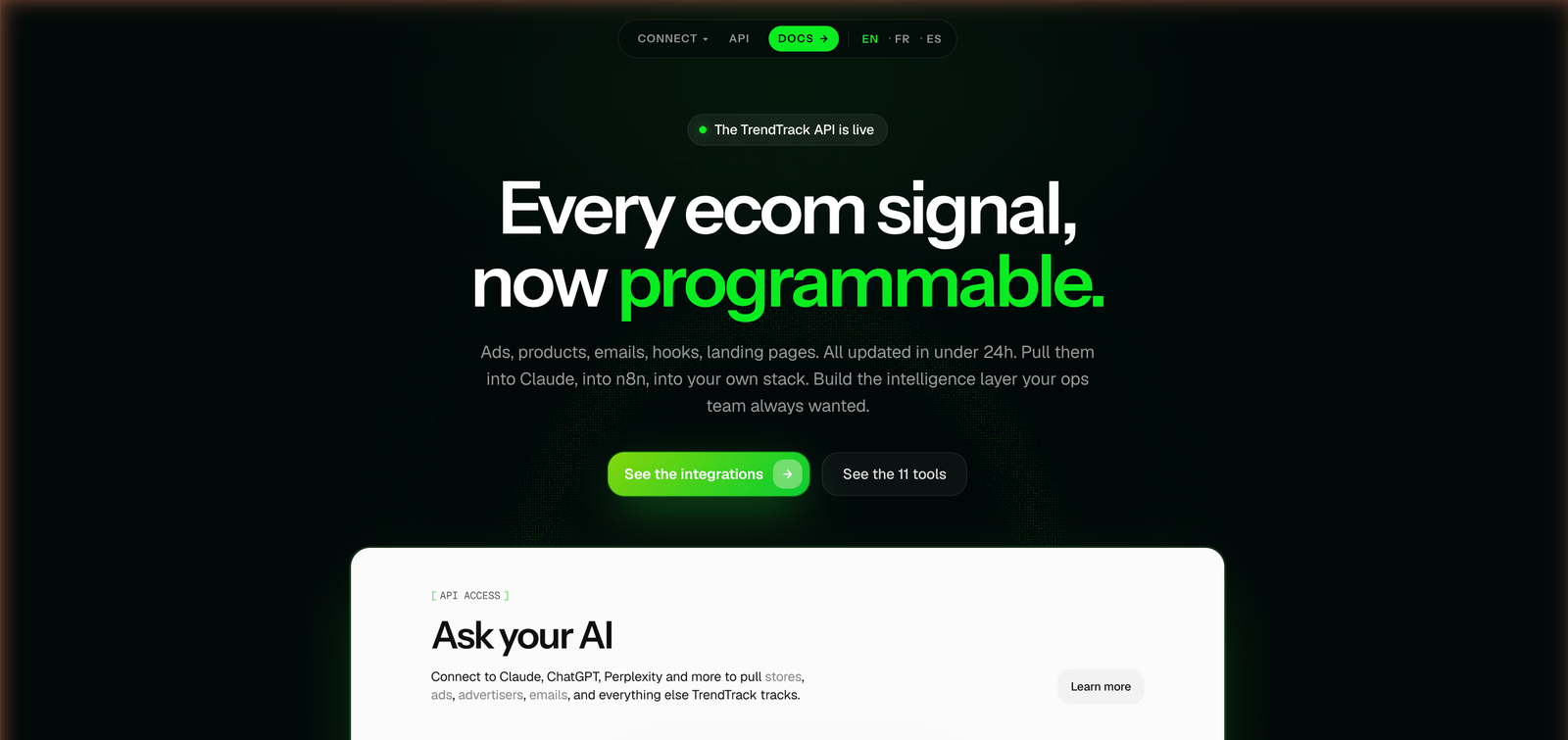
Inside the app, the entry point sits in the bottom rail as Connect to AI. That page lists every supported client and holds your connection details.
Step 2: Authorize the MCP connector
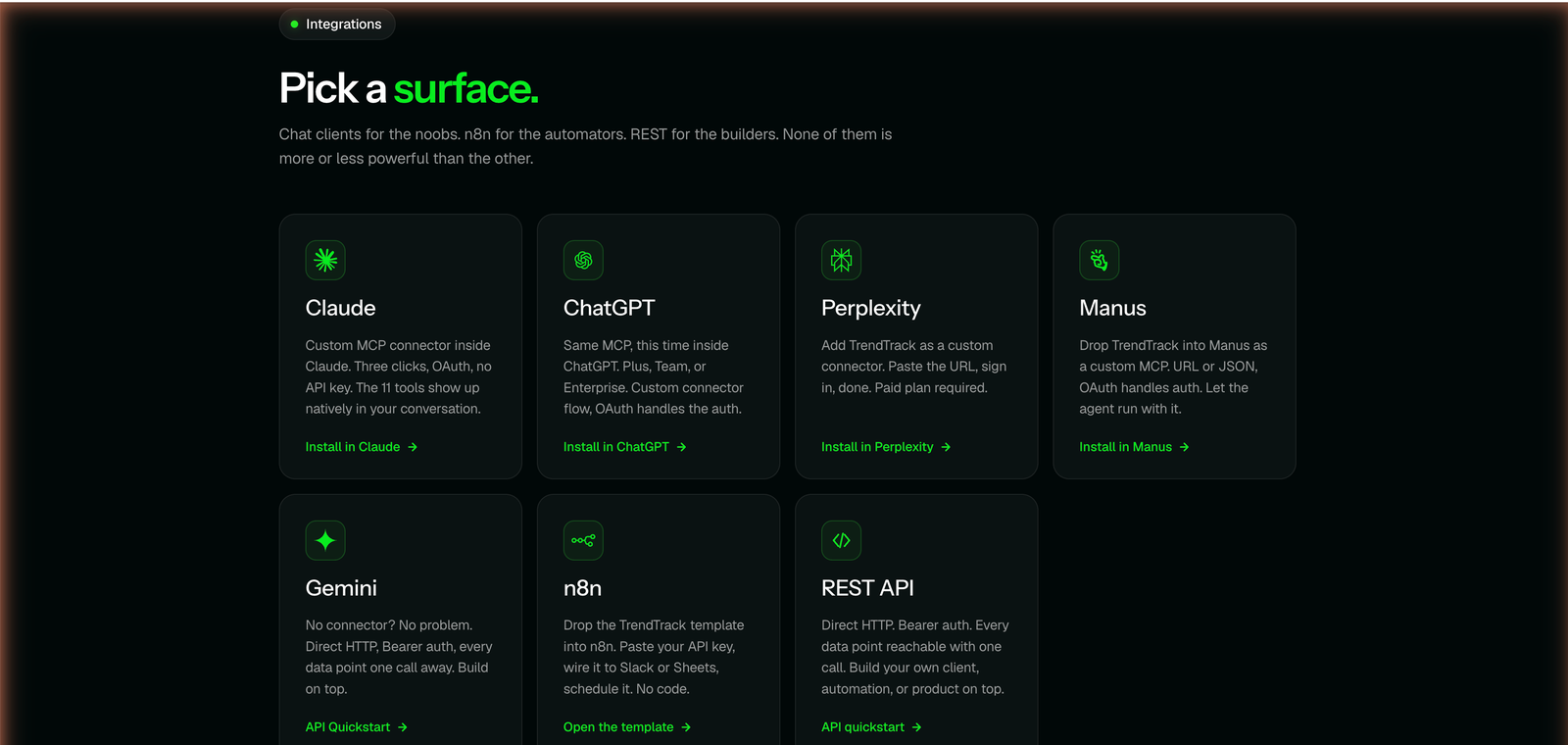
For Claude, you add a custom MCP connector and sign in through OAuth, so there is no API key to paste or leak. The tools then appear directly in the conversation.
The other clients follow the same idea with small differences. ChatGPT (Plus, Team or Enterprise) and Perplexity (a paid plan) take a custom connector, Gemini connects over direct HTTP, and if you would rather script it yourself the REST API uses a Bearer token.
Step 3: Send your first prompt
Once the connector is live, you talk to it like a teammate. Try something like “Run brief_competitor on gymshark.com and summarize their top scaling ads.”
The relevant tool fires, pulls the data, and answers in the same thread. You never leave the chat window.
Behind the scenes, each call draws from your monthly credit pool, so a heavy research session spends faster than a quick lookup. The check_credits tool exists precisely so you can watch that balance without leaving the conversation.
The 11 tools and what each one pulls
The tools split into four groups: find something, brief it, monitor it, or check your account. The four groups break down like this.
| Group | Tool | What it pulls |
|---|---|---|
| Discover | search | Ads matching a query across Meta, TikTok and Google |
| Discover | scaling_stores | Stores with growth signals, by free text or lookalike |
| Discover | find_similar_shops | Lookalike stores for any domain you feed it |
| Discover | creative_inspiration_pack | Top hooks, landing-page patterns, angles and media mix by niche |
| Brief | brief_competitor | A full snapshot: top scaling ads, email cadence, angles and five opportunities |
| Brief | scan_ad | One ad’s hook, creative, landing page, EU reach, lifetime and scaling verdict |
| Brief | analyze_tracked_brand | A deep read on a brand you already track |
| Monitor | daily_radar | What changed across your tracked brands |
| Monitor | list_tracked_brands | Your current tracker list |
| Account | check_credits | Credits left this month |
Related guide
Ads Library Tutorial
The 337M-ad database that the search and scan_ad tools read from.
Notice what that list means in practice. You can go from a blank prompt to a competitor teardown, or from a single ad URL to a scaling verdict, without touching the dashboard.
The split also tells you how to think about each call. Discover tools are for finding new targets, Brief tools turn a target into a structured read, and Monitor tools keep an eye on the ones you already care about. That is the same loop you would run by hand in the app, compressed into a sentence.
Source: TrendTrack MCP documentation, checked July 15, 2026.
Three ways to wire it into your workflow
The same connection serves very different jobs depending on how you work. Three patterns cover most sellers.
The solo researcher
You open Claude, ask for a competitor brief, and read the answer. No automation, no schedule, just faster research than clicking through the dashboard tab by tab.
This is where brief_competitor and creative_inspiration_pack earn their keep: one prompt, one structured read on a rival or a niche.
The scaler
Once you track a handful of brands, you stop starting from scratch. You save a few prompts that call analyze_tracked_brand and daily_radar, then rerun them whenever you want a status check.
Related guide
TrendTrack Brandtracker Tutorial
Track a competitor’s whole store first, then query it from Claude with analyze_tracked_brand.
The agency (n8n)
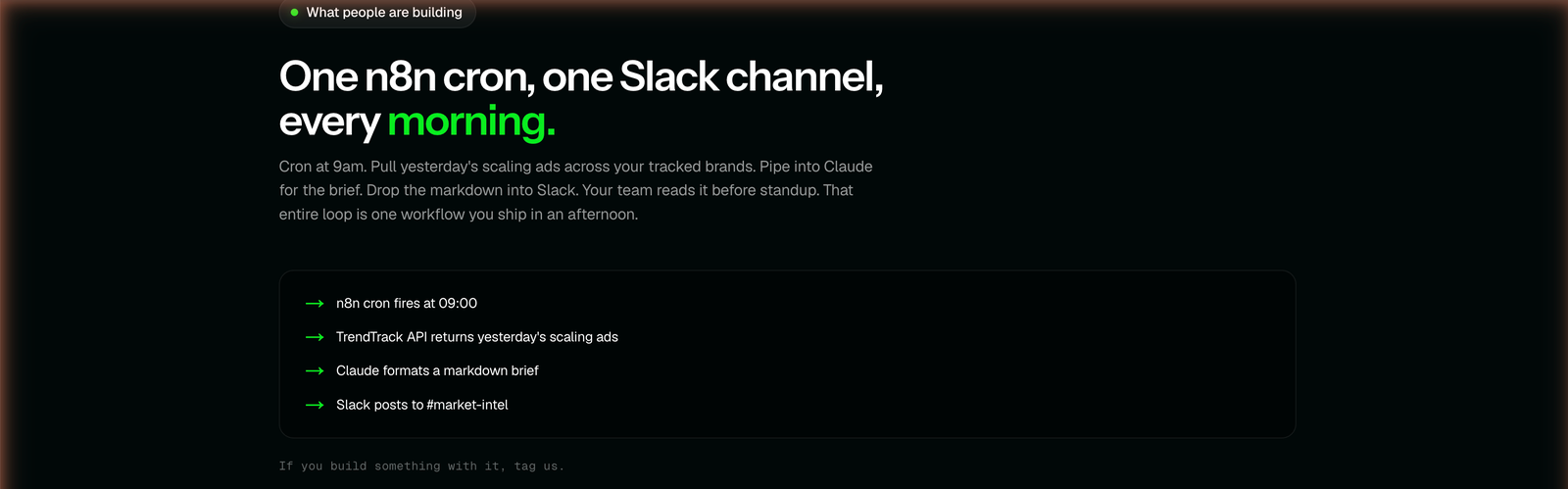
For hands-off reporting, the official n8n template turns the API into a scheduled pipeline. The documented use case runs a cron at 09:00, pulls yesterday’s scaling ads, hands them to Claude to write the brief, and posts it to a Slack channel like #market-intel.
Your team reads a fresh market read every morning without anyone opening the app. That is the payoff of the API route over the point-and-click one.
Where the API stops (and the credit math)
The connection is genuinely useful, but it is not a magic firehose. A few limits are worth knowing before you build around it.
Credits are finite, the ad-spy tools inherit the module gating (scan_ad and ad search need the Ads or Advertisers modules, which start on Pro), and EU reach numbers stay estimates drawn from transparency data, not certified spend. Refresh is fast at under 24 hours, but it is not live. If you are still deciding whether the whole platform is worth it, our full TrendTrack review walks through every module on a paid account.
| Credit tier | Price | Credits |
|---|---|---|
| Included, every plan | $0 | 10,000/mo (20,000 annual) |
| API Starter | $99/mo | 100,000 |
| API Plus | $189/mo | 250,000 |
| API Max | $349/mo | 500,000 |
| One-time top-up | $1 | 1,000 |
Pick the route that matches the job. The MCP connector wins when a human is in the loop asking questions, while the REST API and n8n suit anything scheduled or piped into another system. Most sellers start with MCP inside Claude and only reach for the API once a workflow has proven it is worth automating.
Two moves stretch the free allowance. Billing annually doubles it to 20,000 credits a month, and auto-recharge keeps a pipeline alive if a busy day drains the balance. Call check_credits when you want to know where you stand before you grab a TrendTrack plan with heavier usage in mind.
FAQ
Does TrendTrack have an API?
Yes. TrendTrack has a public REST API (authenticated with a Bearer token) and an MCP server, both live since April 28, 2026. Every plan includes 10,000 API credits a month, rising to 20,000 on annual billing.
What is the TrendTrack MCP server?
It is a connector that makes 11 TrendTrack tools appear directly inside Claude, ChatGPT, Gemini, Perplexity or Manus, with no code to write. Claude connects over OAuth, so there is no API key to manage. You ask questions in plain language and the tools answer in the chat.
Which AI clients can I connect TrendTrack to?
Claude (a custom MCP connector), ChatGPT (Plus, Team or Enterprise), Perplexity (a paid plan), Gemini (direct HTTP) and Manus, plus n8n through an official template. For anything else, the REST API lets you build your own integration.
Do you need a paid plan to use the TrendTrack API?
API access and the 10,000 monthly credits sit on every plan, Starter ($59/mo) included. The catch is the data: tools that read the Ads and Advertisers modules only return results once you are on Pro ($89/mo) or higher.
How many API credits do you get, and can you buy more?
You get 10,000 a month included, or 20,000 on annual billing. Recharges run at API Starter $99 (100,000), Plus $189 (250,000) and Max $349 (500,000), plus one-time top-ups at $1 for 1,000 credits, with auto-recharge if you want a buffer.
Ready to put 11 tools inside your AI client?
Start on any plan from $59/mo (or $41/mo billed annually), with 10,000 API credits included. The ad-spy tools unlock on Pro ($89/mo).