Last verified July 2026. Walked through on a paid TrendTrack account (Agency trial), tracking gymshark.com as the live example.
On May 27, 2026, TrendTrack rebuilt its tracker to follow a whole store instead of one Facebook page. One slot now watches every ad, test and email a competitor ships.
Point it at Gymshark and it pulls back 2,294 Meta ads, 614 partnership ads and 514 TikTok posts, all in one dashboard. That is what turns TrendTrack from a search box into a real competitor monitoring tool.
This tutorial sets up a Brandtracker from scratch, then walks the tabs that actually earn their place. Screenshots are from our own paid account.
A Brandtracker follows one competitor’s entire funnel, Meta plus TikTok plus Google Ads plus emails, from a single slot. You add a store, TrendTrack pulls its live ads, test waves, video hook transcripts, landing pages and email flows, then alerts you when anything moves. Included from Starter ($59/mo).
Disclosure: some links on this page are affiliate links. If you subscribe through them we may earn a commission at no extra cost to you. We tested every TrendTrack feature mentioned here on a paid account.
Plan check: the Brandtracker is not a Pro-only feature. You get 2 trackers on Starter ($59/mo), 30 on Pro ($89/mo) and unlimited on Business ($149/mo). The catch: crossing a tracked store against the full Ads and Advertisers databases needs Pro, since Starter has neither module. See how the plans break down.
Set up a Brandtracker in three steps
The whole setup takes under a minute. Here is the shape before we click through it.
Step 1: Search the store or URL
Open the Brandtracker module and hit Add Tracker. You can search by store name, Facebook page or a raw URL.
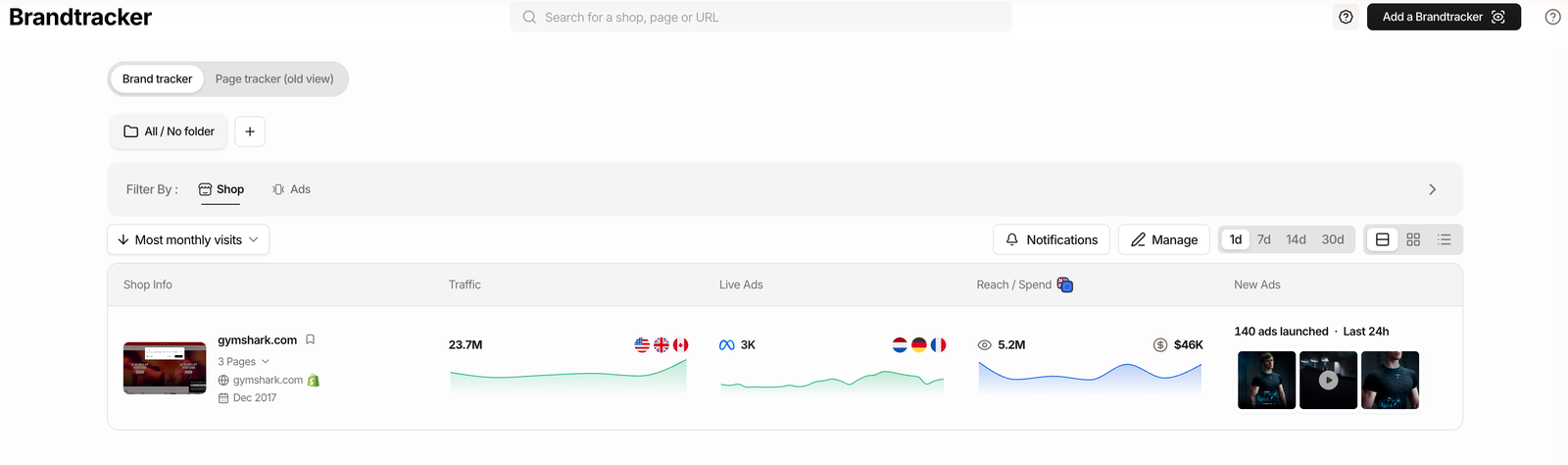
Paste gymshark.com and it resolves to the brand. The store lands in your list with its traffic, live ad count and EU reach or spend already populated.
Step 2: Confirm the store-level slot
Since the May 27, 2026 rebuild, one slot equals the entire store: every Facebook page tied to that shop, plus its TikTok, Google Ads and email marketing flows.
One nuance to know. Country subdomains stay separate stores, so gymshark.com and its UK site each use a slot. Track the market you actually compete in first.
Step 3: Turn on alerts
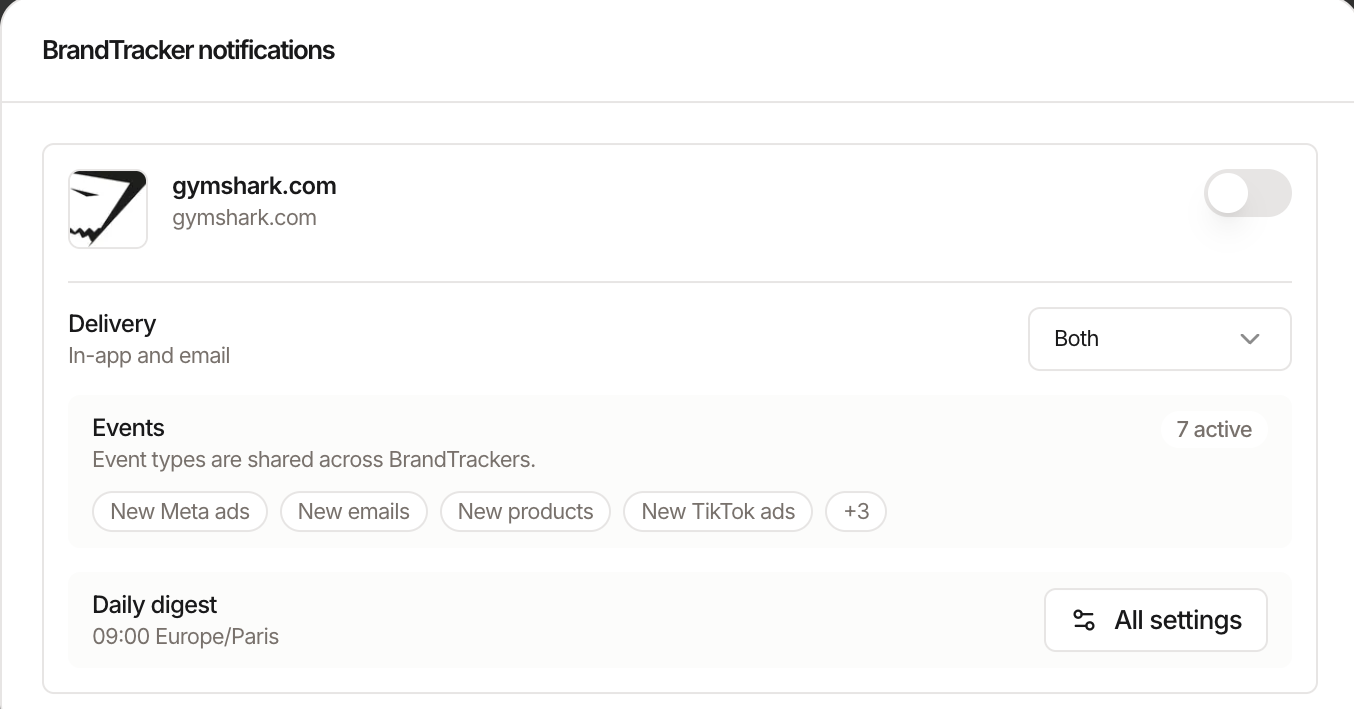
Notifications ship off by default, so nothing is watching until you flip it on. Open the tracker’s bell and pick a delivery channel: in-app, email or both.
You get 7 event types (new Meta ads, new emails, new products, new TikTok ads and more) plus a daily digest at a time you set. Digest on, channel on, and the tracker starts reporting to you instead of the reverse.
What the tracker actually reveals
Setup is the easy part. The value is in the tabs, and this is where a Brandtracker pulls ahead of what TrendTrack actually does from its plain search box.
The Meta view alone splits into 10 sub-tabs. Here is what each one holds and why an operator opens it.
| Tab | What it shows | Why it matters |
|---|---|---|
| Ad Library | Live ad history, media mix, top landing pages | The overview of what is running now |
| Ad Rank | Rank history and biggest gains per ad | Spot winners even without EU reach |
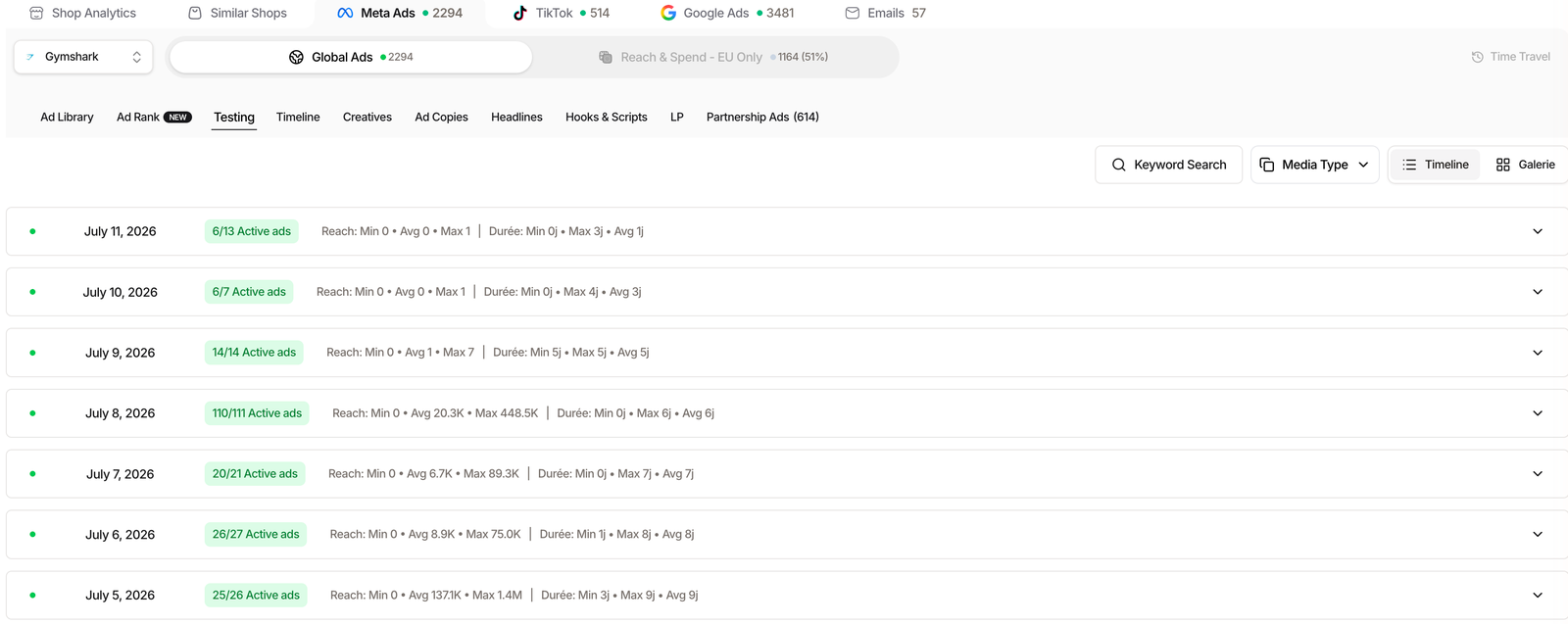
| Testing | Daily test waves, active count, reach range | See how aggressively they test |
| Timeline | Gantt of each ad’s lifespan | Which creatives survive longest |
| Creatives | Creative gallery with bulk export | Build a swipe file fast |
| Ad Copies | Copy blocks by usage and run length | Find the angles they repeat |
| Headlines | Headline usage counts | See the offer they lean on |
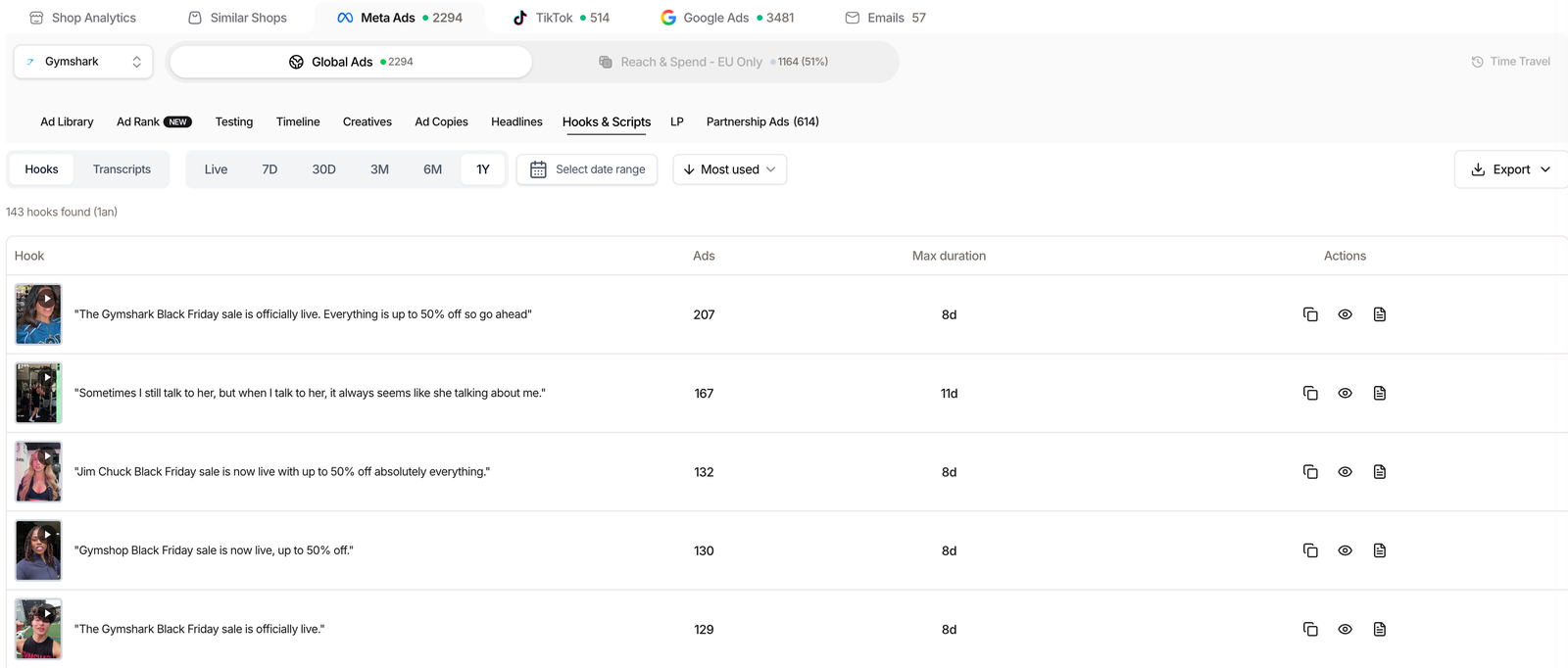
| Hooks & Scripts | Video hooks plus full transcripts | Reverse-engineer video ads |
| LP | Landing pages by usage, with preview | Study the page behind the ad |
| Partnership Ads | Whitelisted creators and their live ads | Map their influencer roster |
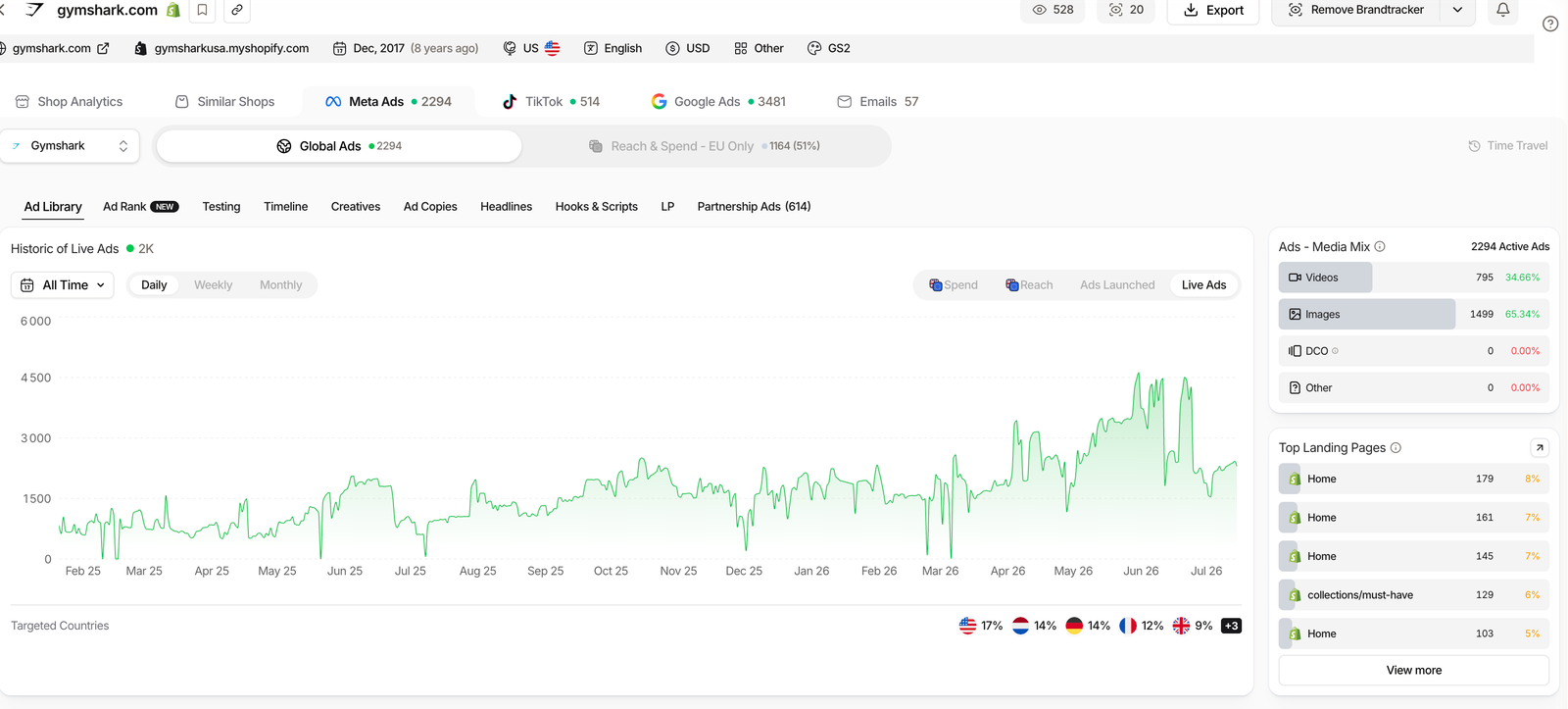
Start with Ad Library. It charts the store’s live ads over time, breaks the media mix into video versus image, and lists the top landing pages carrying the most ads.
A selector toggles between Global ads and EU-only reach and spend. Keep in mind the spend figures are estimates from EU transparency data, not audited numbers.
The tab I would not skip is Hooks & Scripts. It lists every opening hook, how many ads use it, and the longest run, then hands you the full transcript of the video.
That is the difference between an ad library and a monitoring tool. A library shows you the video. This tells you the exact words in the first three seconds and how long that hook has survived.
The tracker also reaches past Meta. The TikTok view splits a brand’s content into ads and organic, so you see the videos they never boosted alongside the ones they did.
On top of that it maps their link in bio, content type mix and top hashtags. Tracking a competitor’s organic TikTok is rare, and it often reveals the hook before it becomes a paid ad.
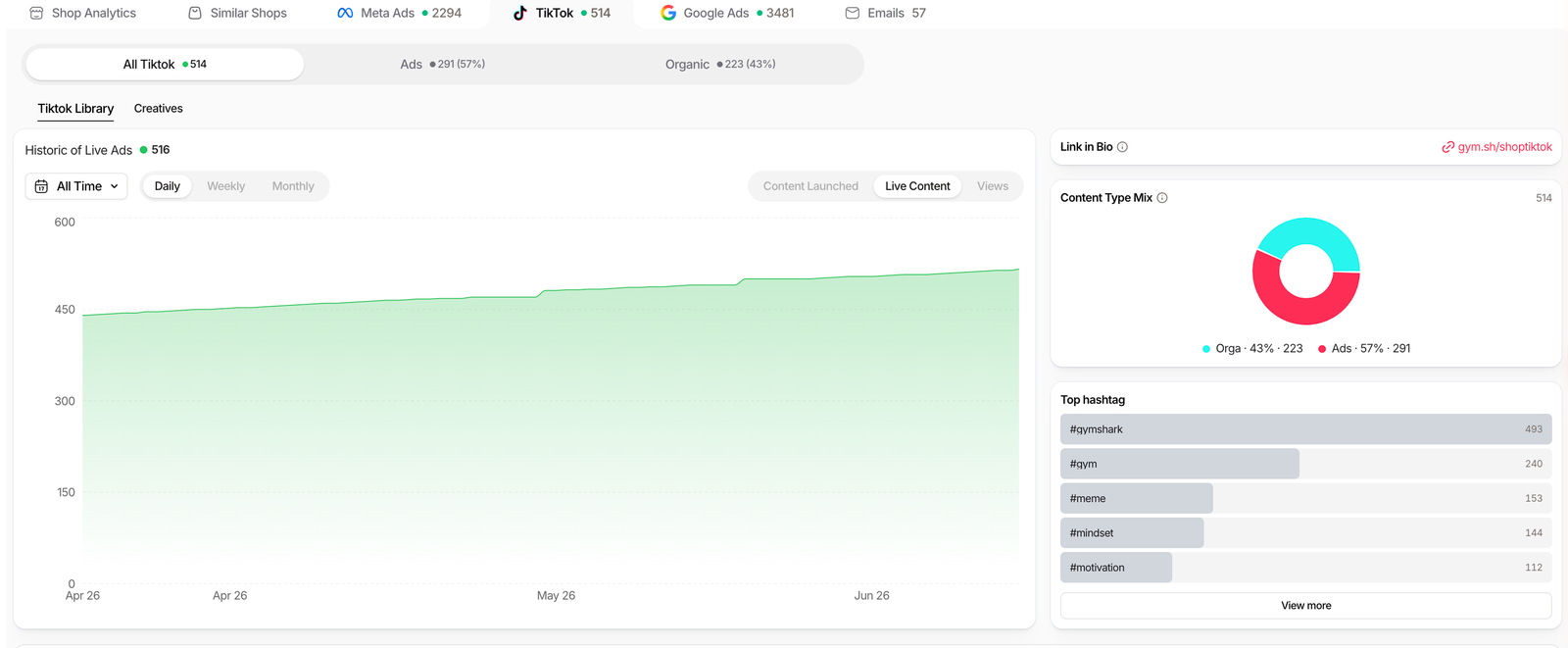
Gymshark tracker, checked on our paid account in July 2026. Counts move as the store ships.
Track your first competitor on Starter
Three ways operators use it
A Brandtracker is only as good as the question you bring to it. Three patterns come up again and again.
The product scout
You want to know what a proven store is testing right now. Open Testing and Creatives, sort by the most recent wave, and read which new products they are pushing budget behind.
New creatives with rising rank are the tell. It is a shortlist of candidates that a competitor is already validating with real spend.
The scaler
You already sell in the niche and want to move when a rival does. The Testing timeline shows their daily test count, and Ad Rank flags the creatives climbing fastest.
Pair that with a daily digest and you learn about their next push the morning it starts, not a month later. If ad spy is why you are here, that workflow lives on Pro and up.
The brand copying hooks
You run video ads and want a proven opening. Hooks & Scripts hands you the transcript, then the LP tab shows the exact landing page each ad points to, with a mobile and desktop preview.
Hook plus page in one place means you can rebuild the full funnel logic, not just admire the creative.
Where the Brandtracker stops (and the workaround)
No tool is complete, and pretending otherwise helps nobody. Two limits matter most.
First, the money figures are estimates. Est. Revenue and EU or UK spend are modeled from traffic and transparency rules through a configurable CPM, so read them as directional, not audited. Real spend only exists where EU or UK reach is reported.
Second, coverage is uneven by surface. Google Ads tracking only shipped on July 1, 2026, so its history is shallower than Meta’s, and notifications stay off until you enable them.
The workaround is to cross the tracker with the wider Ads module on Pro, and to keep the free Chrome extension handy for a quick x-ray of any store you have not spent a slot on yet.
One low-friction way in: the free Chrome extension and a trial let you test the whole flow before you commit a plan.
FAQ
Is the Brandtracker included on the Starter plan?
Yes. You get 2 trackers on Starter ($59/mo), Pro raises that to 30, and Business is unlimited. The full Ads module and the cross-filters that pair a tracker with the wider database start on Pro ($89/mo).
How many stores can one slot track?
Since May 27, 2026, one slot follows the entire store: every Facebook page tied to the shop, plus its TikTok, Google Ads and emails. Country subdomains, like a separate UK site, count as distinct stores.
Does the Brandtracker really transcribe video ads?
Yes. The Hooks & Scripts tab lists the opening hooks and gives you the full transcript of each video, with the number of ads and the longest run per hook. That is what separates it from a plain ad library.
Does it track TikTok organic content too?
Yes. The TikTok view separates ads and organic content, with link in bio, hashtags and top videos by views and likes. Few tools follow a competitor’s organic TikTok at all.
How accurate are the revenue and spend numbers?
They are estimates. Est. Revenue and EU or UK spend are derived from traffic and European transparency rules through a configurable CPM. Treat them as orders of magnitude, not audited figures.
Ready to watch a competitor’s whole funnel?
Track ads, test waves, hooks and emails from one slot. Included from $59/mo (or $41/mo billed annually); 30 trackers land on Pro.