Last verified July 15, 2026. TrendTrack tested live on a paid account; Dropship.io, ShopHunter, Commerce Inspector, PPSPY and Koala Inspector checked on their public sites and pricing pages.
A Shopify store keeps five things to itself: what it earns, how much traffic it really pulls, which products sell, what runs under the hood, and where its ad budget goes.
Spy tools try to read all five from the outside, with wildly different depth. Some index millions of stores so you can search them; others are browser extensions that x-ray one store at a time.
We opened paid accounts and Chrome tools and ranked six of them by what they actually surface, not by what their homepages promise. Every number below is estimated, not audited, so read it as directional.
A Shopify spy tool reveals what a store hides: estimated revenue, traffic, best-sellers, theme, apps and live ads. For the widest coverage, TrendTrack is our pick, a 1.87M-store index with estimated revenue, tech detection and ad spy, from $59/mo (store data on Starter, ad spy on Pro $89). For a cheaper look-alike, Dropship.io (from $39/mo). For revenue numbers on specific stores, ShopHunter.
| Top pick | Best for | From /mo |
|---|---|---|
| TrendTrack | All-in-one store intelligence: revenue, tech and ads | $59 |
| Dropship.io | Budget store index with product research built in | $39 |
| ShopHunter | Tracking a shortlist of stores for revenue only | $50 |
Disclosure: some links on this page are affiliate links. If you subscribe through them we may earn a commission at no extra cost to you. We tested every TrendTrack feature mentioned here on a paid account.
How we tested
Every store leaks signals. Its traffic, its Facebook page, its Shopify theme, its checkout apps and the ads it runs are all public if you know where to look. A spy tool’s job is to collect those signals and turn them into a number you can act on.
So we judged all six on the same four questions, rather than on feature counts.
Only TrendTrack was tested hands-on on a paid account (a trial Agency plan). The other five we checked on their public sites and pricing pages in July 2026, so treat those as documented, not deeply road-tested.
One honesty note that applies to all of them: revenue, traffic and sales figures are estimates modeled from outside signals. They are a speedometer read from the curb, not the store’s real books. If you want to see how a full index is built and filtered, that is what TrendTrack’s Shopify store database does, and you can also detect a store’s theme and apps the same way.
The 6 best Shopify spy tools, priced high to low
We ordered the field by entry price, most premium first. The strongest all-round pick sits at the top because it is also the most complete, but read down: the cheaper tools win clear, specific jobs.
1. TrendTrack: the all-in-one store intelligence
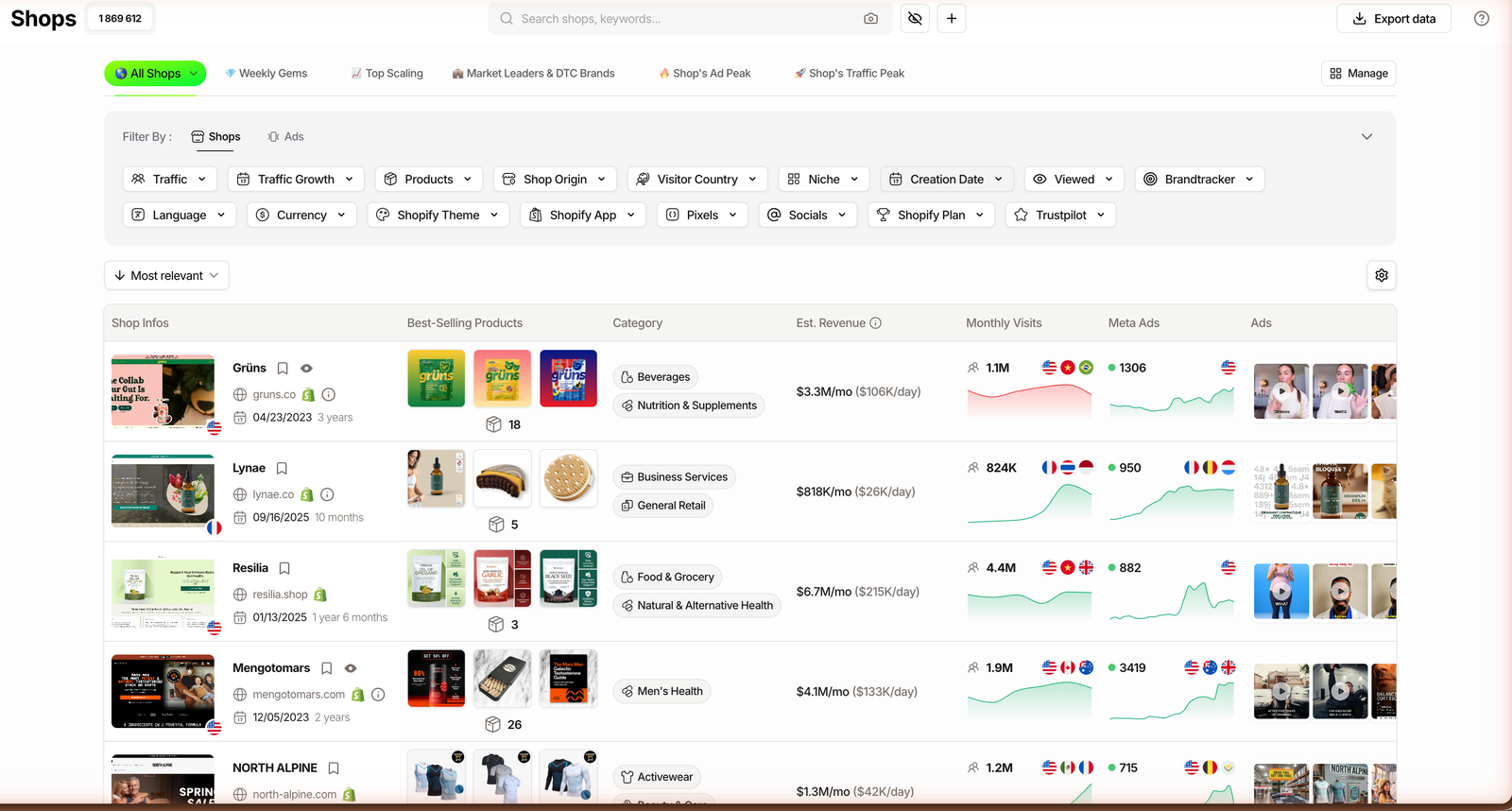
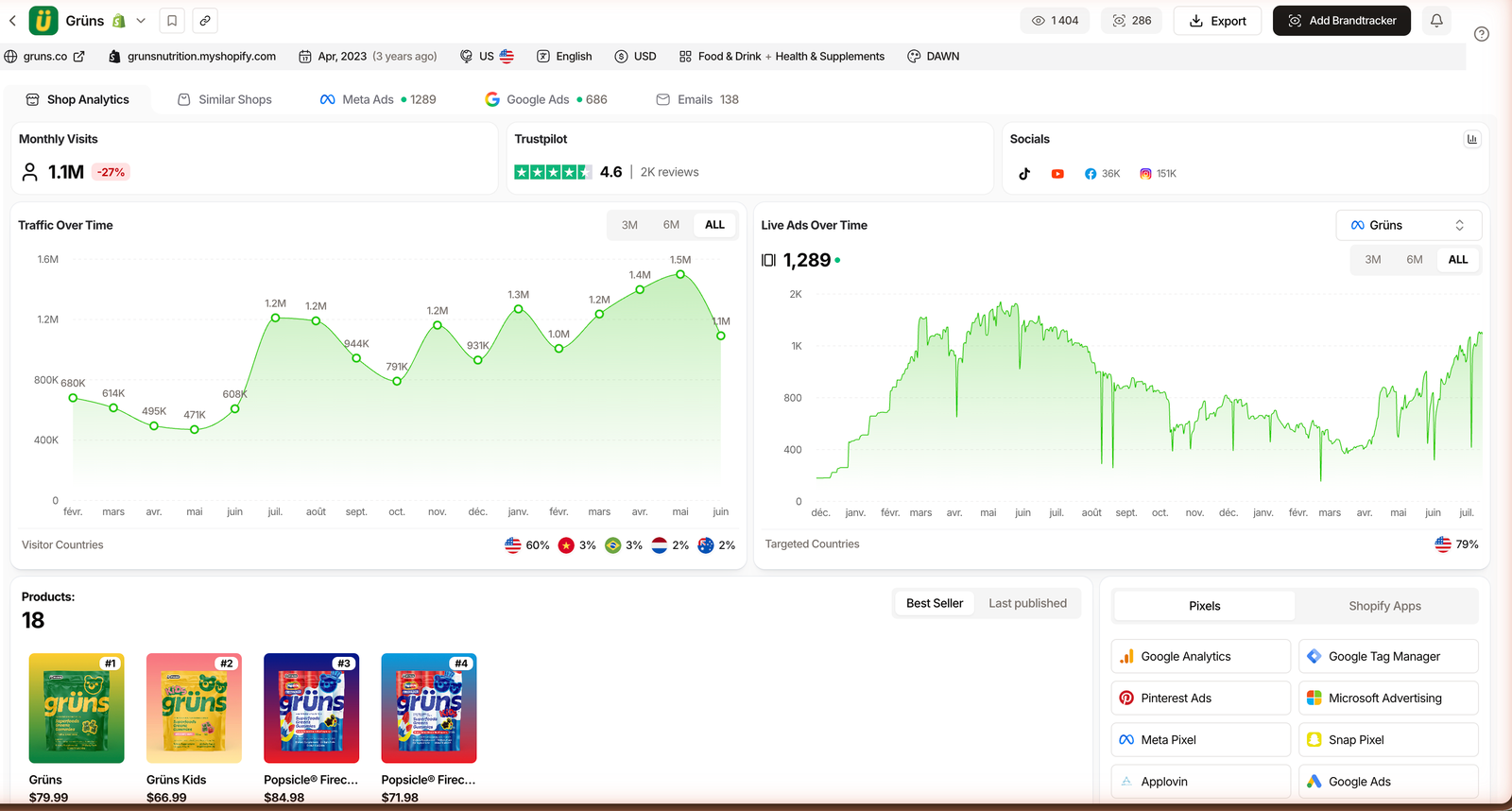
At a glance: 1.87M-store index; 17 store filters; estimated revenue in $/mo and $/day; ad spy across Meta, TikTok and Google.
What it reveals. All five signals in one tab. TrendTrack estimates a store’s revenue as a monthly and daily figure, shows monthly visits and growth, splits visitor countries from targeted countries, lists best-sellers with their launch dates, and detects the Shopify theme, apps and pixels behind the store. Then it adds the ads.
How deep the data goes. This is an index, not a one-store viewer. You can screen 1.87M Shopify stores by 17 filters (niche, theme, app, pixels, Trustpilot score, traffic growth and more), then open any store’s whole funnel in the Brandtracker: Meta, TikTok and Google ads, plus its email flows. Google ad spy shipped July 1, 2026, and TikTok organic tracking landed June 8, 2026.
TrendTrack app headers, checked July 2026. Store and ad counts grow over time.
Price and access. From $59/mo (or $41/mo billed annually). The store-spy side (the Shops database, estimated revenue, tech detection) is included on Starter. The ad-spy modules unlock on Pro ($89/mo, or $62 annually). A hidden Agency plan runs $200/mo. The free way in is the Chrome extension, which is free for everyone with no usage limits.
Plan check: store spy (revenue, traffic, theme, apps) is on Starter $59. Ad spy (Meta, TikTok, Google) starts on Pro $89. If ads are the whole reason you are here, budget for Pro.
Where it falls short. Estimated revenue is exactly that, an estimate, so cross-check the biggest numbers. The Trends module is still labeled Soon. And the ad modules being gated to Pro means the cheapest plan spies on stores but not on their ads. Trustpilot sits at 4.8.
Pros
- All five signals in one searchable index
- Only pick here that spies on Google ads too
- Filter 1.87M stores, then track whole funnels
- Free Chrome extension with no limits
Cons
- Ad spy gated to Pro, not Starter
- Revenue and visits are estimates
- Trends module still marked Soon
Related guide
TrendTrack Review: Every Module Tested
Our full hands-on review of all seven modules on a paid account.
2. ShopHunter.io: the revenue tracker
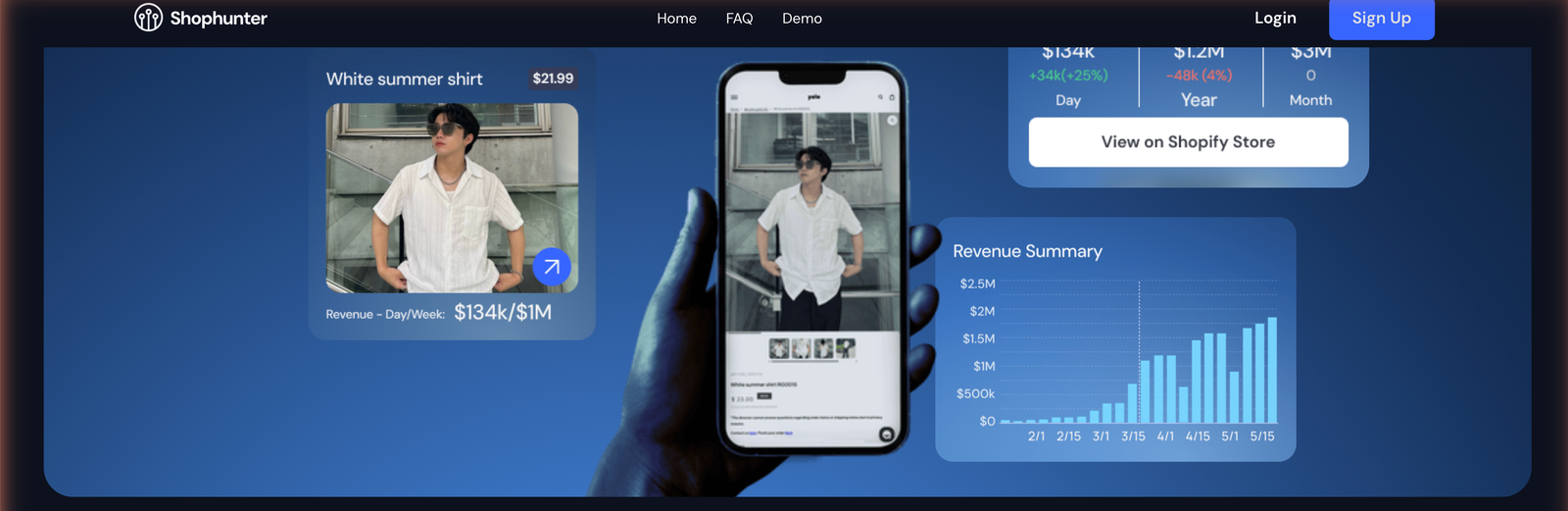
At a glance: from $50/mo for 25 tracked stores; hourly sales updates; a $1 three-day trial.
What it reveals. ShopHunter is built around one question: how much is this store making? It estimates a Shopify store’s revenue, order volume, average price and which products drive the sales, and it can watch Facebook competitor ads alongside.
How deep the data goes. ShopHunter is a tracker, not an index. You add specific stores to a watchlist and it monitors them, with updates described as hourly. That is the opposite model from TrendTrack: fewer stores, followed closely, rather than millions you filter.
Price and access. Basic is $50/mo for 25 tracked stores, Professional $75/mo for 50, then Business $250 and Enterprise $500 for heavier tracking. Annual billing gives two months free, and there is a $1 three-day trial of Basic to kick the tires.
Where it falls short. It is revenue-first by design, so there is no filterable store index, no theme or app detection, and no multi-platform ad library. If you already know which stores you want to watch, that focus is a feature. If you are still hunting, it is a limit.
3. Commerce Inspector: store and app discovery
At a glance: free tier plus paid plans from $49/mo; strong on tech and product discovery.
What it reveals. Commerce Inspector (now under the Shine Commerce brand) surfaces a store’s apps, theme, products, new-product launches and, on paid tiers, sales estimates and traffic. It leans toward discovery: what a store runs and what it just launched.
How deep the data goes. It pairs a browser extension with a web app, so you can inspect a single store or follow a small set. The free plan shows basic store data (traffic hints, apps, competitor list, socials) but no sales figures, and it caps you at two followed stores.
Price and access. Free for the limited tier. Insights ($49/mo) adds full app detection, sales estimation and basic monitoring; Inspector ($99/mo) adds traffic estimation, bulk monitoring and multi-year history. Billing is monthly with no prominent annual discount.
Where it falls short. The genuinely useful sales and traffic data sits behind the paid tiers, and there is no real ad-creative library. It is a tidy way to read one store’s stack, weaker as a way to find new stores at scale.
4. Dropship.io: the closest budget look-alike
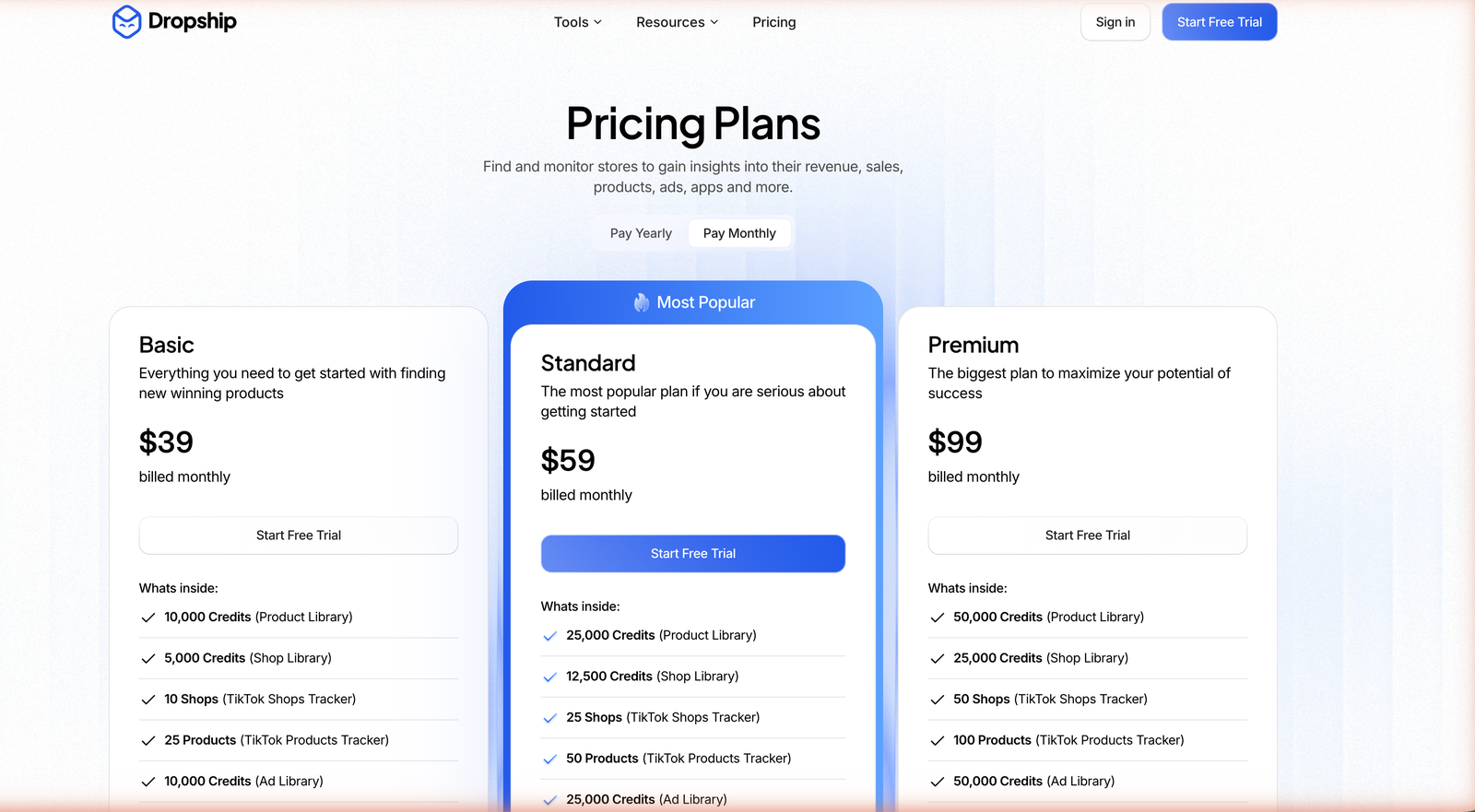
At a glance: from $39/mo; store index plus estimated revenue, product research and Facebook ad spy.
What it reveals. Dropship.io is the tool that overlaps most with TrendTrack on the store-spy side. It indexes Shopify stores with estimated revenue, adds product research, a Facebook ad library, an advertiser library, AI image search and a Chrome extension.
How deep the data goes. It is a real index you can search and sort, with TikTok Shop sales and a creator database (350k+ claimed) on top. The gap versus our top pick is platform breadth: its ad spy is Facebook-only, with no Google ad spy and no TikTok creative library. See the full split in TrendTrack vs Dropship.io compared.
Price and access. Ad spy is bundled from the entry tier here: Basic $39/mo (or $26 annually) includes the Facebook ad library, Standard is $59 and Premium $99. There is a free trial to test the index first.
Pros
- Cheapest entry with a real store index
- Facebook ad spy bundled from $39
- Product research and image search built in
Cons
- No Google ad spy, no TikTok creatives
- Thinner tech detection than TrendTrack
- Estimates still need cross-checking
5. Koala Inspector: a free one-store x-ray
At a glance: free plan (15 store checks/mo, no card); Premium $22/mo; browser extension.
What it reveals. Koala Inspector is the classic one-click x-ray. Open a Shopify store, click the extension, and it shows the theme, the apps, the product catalog, best-sellers, price history and recent launches for that single store.
How deep the data goes. One store at a time. There is no searchable index of millions, and revenue estimates only appear on the paid tier. Its strength is speed: when you land on a competitor and just want their stack, it is a two-second answer.
Price and access. The free plan covers 15 store analyses per month with no card and never expires. Premium is $22/mo for higher limits, up to 50 tracked stores and sales estimates. Token packs cover heavier months.
Where it falls short. No cross-store search, no serious ad spy, and revenue estimates are shallow. It is a scalpel for one store, not a database, so it complements an index rather than replacing one.
6. PPSPY: freemium sales tracking
At a glance: free tier; paid from $19.90/mo; sales tracking plus store and product research.
What it reveals. PPSPY centers on sales tracking: estimated sales for a Shopify store in near real time, plus a store finder and product research to surface top sellers.
How deep the data goes. It works as a Chrome extension and a web app, so you can track a store’s sales over time and dig into product research. It skews toward the sales number and the product list rather than tech detection or ad creatives.
Price and access. The free tier has usage limits on every feature and needs no card. Paid plans start around $19.90/mo, with Standard at $39, Pro at $99 and Business at $299; annual billing is marked 30% lower.
Where it falls short. No proper multi-platform ad spy, and the sales estimates, like everyone’s here, want cross-checking against a second source. As the cheapest paid entry on this list, it is a low-risk way to start tracking sales.
What each tool actually reveals
The quickest way to choose is to line up the five signals against each tool. Yes means it is a core, surfaced feature; Limited means it exists but is shallow or gated; No means it is not there.
| Tool | Est. revenue | Traffic | Theme + apps | Live ads | From /mo |
|---|---|---|---|---|---|
| TrendTrack | Yes | Yes | Yes | Yes | $59 |
| ShopHunter | Yes | No | No | Limited | $50 |
| Commerce Inspector | Limited | Limited | Yes | No | Free / $49 |
| Dropship.io | Yes | Limited | Limited | Limited | $39 |
| Koala Inspector | Limited | No | Yes | No | Free / $22 |
| PPSPY | Yes | No | Yes | No | Free / $19.90 |
Read the table by the column you care about most. Only TrendTrack lights up all five, which is why it tops the list. But if your job is narrow, a Limited or single-Yes tool can be the smarter buy: ShopHunter for revenue, Koala Inspector for tech, PPSPY for sales tracking on a budget.
How to choose the right Shopify spy tool
Start from the signal you need most, then let budget break the tie. Revenue, tech and ads pull you toward different tools.
If you are not sure, buy for range, not for a single feature. TrendTrack’s 1.87M-store index covers the store-spy job on Starter and stretches to full ad spy on Pro, so one subscription grows with you instead of forcing a second tool later. Just remember the gating: ad spy is a Pro feature, not a Starter one.
Related guide
TrendTrack Pricing: Which Plan Fits
The full grid, and where store spy versus ad spy unlock.
FAQ
What is a Shopify spy tool?
A Shopify spy tool reads the things a competitor’s store keeps private: its estimated revenue, real traffic, best-selling products, the theme and apps it runs, and the ads it is running. Some tools index millions of stores so you can search and filter them; others are browser extensions that x-ray one store at a time. The data is estimated, not audited, so treat it as directional. Used well, it tells you which stores and products are actually scaling before you commit budget.
Can you see a Shopify store’s revenue?
Not exactly, but you can get an estimate. Tools like TrendTrack, Dropship.io and ShopHunter model a store’s revenue from signals such as traffic, product mix and app data, and show it as a monthly and daily figure. TrendTrack, for example, exposes an Est. Revenue column across its 1.87M-store index. Keep in mind these are estimates, not the store’s real books, so the number is a speedometer read from outside the car, not the odometer inside it.
How do you find out what theme and apps a Shopify store uses?
Any store’s public source reveals its tech, and spy tools surface it cleanly. Koala Inspector and Commerce Inspector are free-ish extensions that show a single store’s theme, apps and products in a click. TrendTrack goes wider: you can filter its whole index by Shopify Theme, Shopify App and Pixels, so you can find every store on a given theme, not just inspect one. If you only ever check one store at a time, a free extension is enough.
Is there a free Shopify spy tool?
Yes. Koala Inspector and PPSPY have free tiers that x-ray a single store, and TrendTrack’s free Chrome extension is free for everyone with no usage limits. The catch is depth: free tools show you one store’s surface, not a searchable index, estimated revenue at scale, or live ad tracking over time. For a quick look at one competitor, free is fine. For weekly research across many stores, a paid index saves the time free tools cost you.
What is the best tool to spy on Shopify competitors?
It depends on what you need. For the widest coverage, revenue estimates, tech detection and ad spy in one tab, TrendTrack is our overall pick, from $59/mo (store data on Starter, ad spy on Pro $89). For a cheaper look-alike with product research built in, Dropship.io starts at $39/mo. If you only want revenue numbers on specific stores, ShopHunter is more focused. Match the tool to whether you care most about revenue, tech, ads or budget.
The bottom line
There is no single best Shopify spy tool, there is a best one per signal. For the widest read on a store, revenue, traffic, tech and ads together, TrendTrack is our overall pick, and its store-spy side starts on Starter ($59).
If you want the same idea cheaper, Dropship.io ($39) is the closest look-alike. If you only need one signal, ShopHunter owns revenue, Koala Inspector owns a fast tech x-ray, and PPSPY owns budget sales tracking. Buy for the job in front of you, and remember every figure here is an estimate.
Want revenue, tech and ads on one screen?
TrendTrack indexes 1.87M Shopify stores with estimated revenue and tech detection on Starter, and adds Meta, TikTok and Google ad spy on Pro ($89/mo, or $62 billed annually). Start free with the Chrome extension. Store data begins at $59/mo.