Last verified July 17, 2026. Every formula below is checked by hand against the worked example, and the TrendTrack prices come from the live Plans page.
Your breakeven ROAS is one division: revenue per order, over whatever survives that order once every variable cost is paid.
Sell at $60, keep $36.96 after product, shipping and fees, and the answer is 1.62. Every dollar you feed to Meta has to hand back $1.62 before a single cent is profit.
Below is the formula, a calculator that runs it live, and one worked example you can verify with a pen. If you have not yet put a number on what one order clears, run your margins first: everything below is built on that figure.
Your breakeven ROAS is 1 divided by your contribution margin. Sell at $60 with $23.04 of costs per order and you keep 61.6%, so every $1 of ad spend has to return $1.62 before you make anything. Anything below that number buys orders at a loss.
Disclosure: some links on this page are affiliate links. If you subscribe through them we may earn a commission at no extra cost to you. We tested every TrendTrack feature mentioned here on a paid account.
How breakeven ROAS actually works
The ROAS formula itself is the easy half. Return on ad spend is revenue divided by ad spend, so a $60 order from $20 of ads is a ROAS of 3.
The half that decides whether you keep the lights on is your contribution margin: what is left of an order after every cost that scales with it. Product cost, shipping, transaction fees. That is the pool your ads are allowed to eat, and it is why how dropshipping margins really break down matters more than any ROAS benchmark you read on Twitter.
The third one deserves a note. Breakeven CPA is the same truth in dollars: the most you can pay for one order before it stops paying you back.
Keep it handy, because most ad platforms optimize toward a cost per purchase, not toward a ratio. A ROAS target is what you report; a CPA cap is what you actually bid against. Work out yours in the calculator below: it prints the breakeven CPA right under the ROAS.
Now the inputs. Use your real average order value rather than your catalog price, use your landed product cost, use your true shipping bill, and for the transaction cut, check your own processor’s rate instead of borrowing someone else’s.
The calculator
Fill in one order’s worth of numbers. Everything recalculates as you type, and the last field is optional: set the net margin you want to keep and you get the target ROAS that holds it.
One honest limit before you act on the output. This calculator knows a single clean order, so it has no idea about your repeat rate, your refunds, or the rent you pay whether you sell or not.
A worked example, line by line
Take a $60 product, sourced at $15, shipped for $6, on a payment contract that costs 2.9% plus $0.30 per transaction. That fee combination is one example of a real contract, not a universal rate, so swap in yours.
| Line | Amount | Running |
|---|---|---|
| Selling price (AOV) | $60.00 | $60.00 |
| Product cost (COGS) | $15.00 | $45.00 |
| Shipping | $6.00 | $39.00 |
| Transaction fee (2.9% + $0.30) | $2.04 | $36.96 |
| Contribution margin | $36.96 | 61.6% |
| Breakeven ROAS | 1 / 0.616 | 1.62 |
| Breakeven CPA | $60 x 0.616 | $36.96 |
Read the 1.62 literally. At a ROAS of 1.5 this order is underwater even though the number looks respectable in the ad manager, and at 1.62 you have worked for free.
So aim past it. Say you want to keep 15% net on revenue: the target ROAS is 1 divided by (0.616 minus 0.15), which lands at 2.15. Check it by hand and it holds, since spending $27.96 to earn $60 leaves you $9.00, and $9.00 is 15% of $60.
What your number means
Breakeven is a floor, not an ambition. Nobody builds a store to land exactly at zero.
| Your actual ROAS | What it means | Headroom |
|---|---|---|
| Below breakeven | Every order costs you money | No |
| At breakeven | You are buying orders at cost, defensible only if you know your repeat rate | Limited |
| Breakeven x1.3 | Thin, and it survives only if no cost moves | Limited |
| Breakeven x1.5 and up | Room for refunds, fixed costs and one mistake | Yes |
The one legitimate reason to sit at breakeven is repeat purchase. If a real slice of your buyers comes back, the first order is an acquisition cost and the margin arrives later. If you sell a one-shot novelty product, that excuse does not exist.
Which is the honest answer to “what is a good ROAS”: there is no universal one, there is only yours, and it moves the day your supplier raises a price. Run the same math on the Meta side and the logic does not change, only the CPM does.
Go further, pressure-test your inputs against the market
Everything above happens inside your own spreadsheet. The trouble is that two of the inputs are not yours to set: the price your niche tolerates, and what attention costs in it.
Related guide
EU/UK Ad Spend: Read a Competitor’s Real Budget
How transparency rules turn reach into an estimated daily budget.
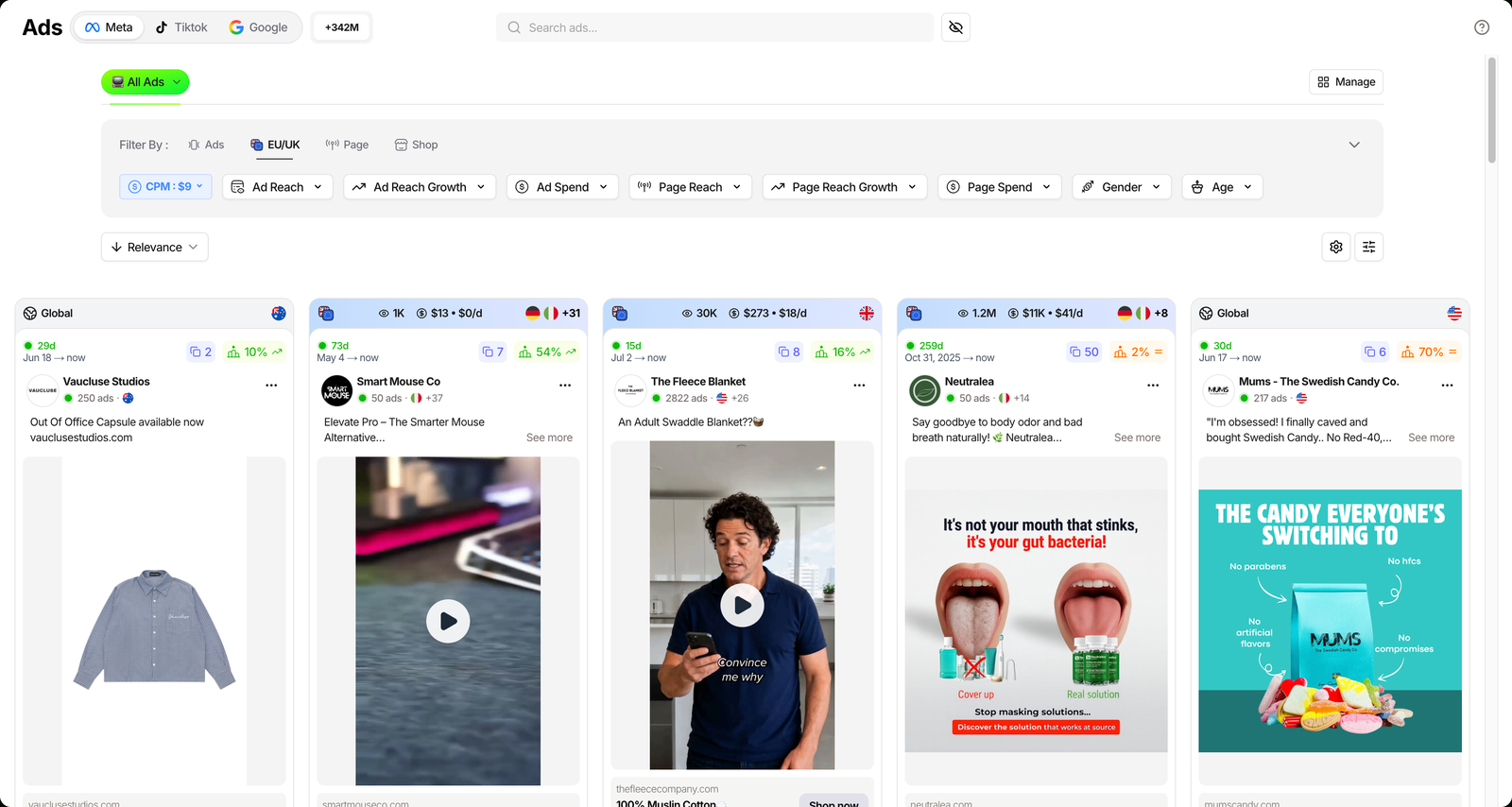
That second input is readable. EU and UK transparency rules expose real reach on Meta ads, and TrendTrack’s Ads module converts it into an estimated spend through a CPM chip that defaults to $9 and that you can change to match your niche.
Do that on a competitor selling at your price point and you stop guessing whether your target CPA is achievable, because you can see roughly what a comparable store pays for the same attention. Treat every one of those figures as an estimate, not an audited number.
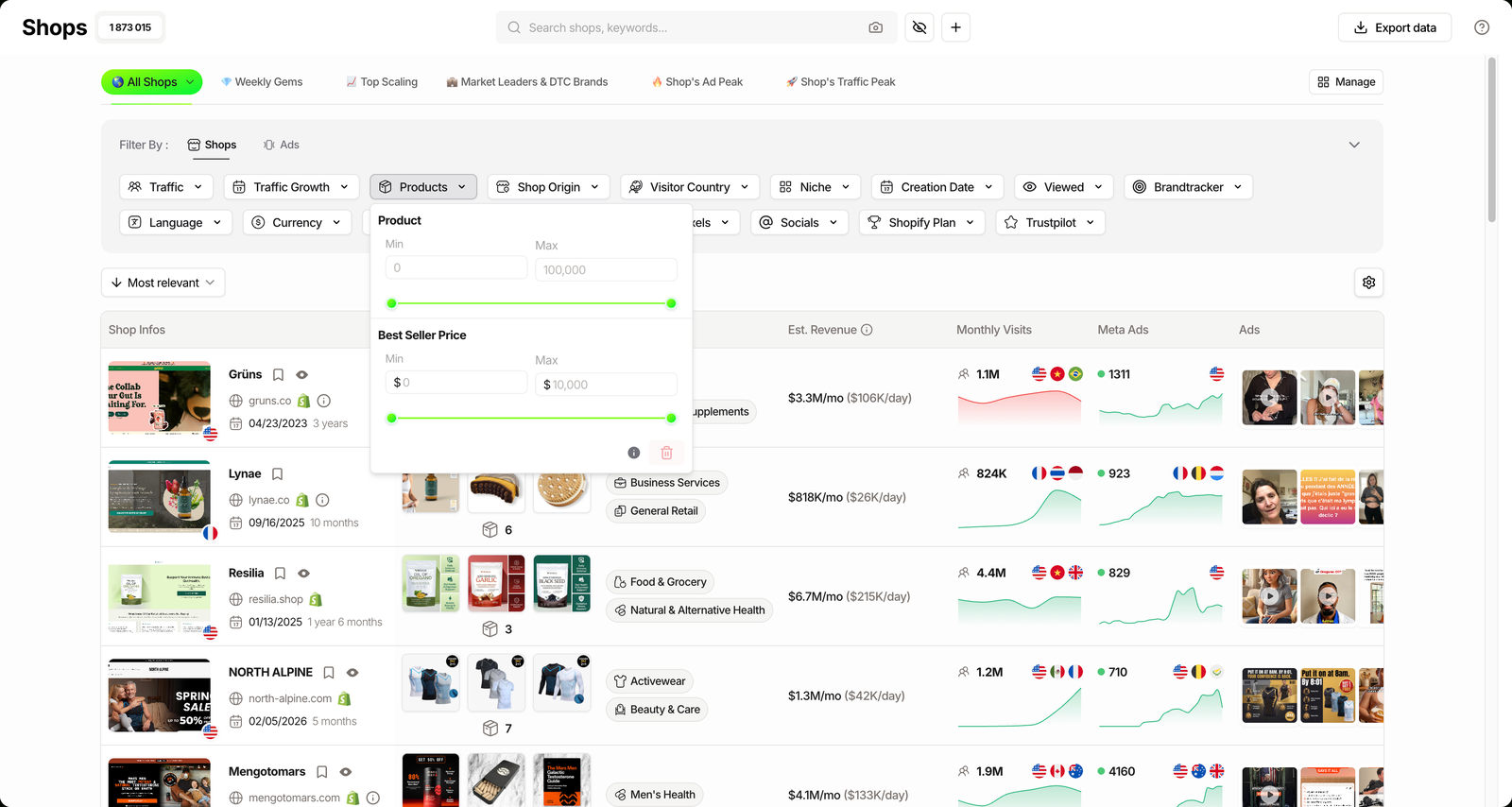
The price input gets the same treatment from the Shops side. Filter the store index by best-seller price and you see what your niche actually charges, which tells you whether a $60 AOV is ambitious or timid before you build a margin on it.
Plan check: the Ads and Advertisers modules start on Pro ($89/mo, or $62/mo billed annually). Starter at $59/mo covers the Shops database and two Brandtrackers, but not ad spy.
Check a competitor’s estimated spend
FAQ
What is a good breakeven ROAS?
There is no universal number. Your breakeven ROAS is set by your own contribution margin, so a store keeping 62% of every order breaks even at 1.62, while a store keeping 30% needs 3.33 just to stand still. The useful question is not what a good ROAS looks like in general, it is how far above your own breakeven you are running.
Is breakeven ROAS the same as target ROAS?
No. Breakeven ROAS is the point where an order makes zero profit, while target ROAS is what you aim for once you want to keep something. Take the same $60 order with a 61.6% margin: breakeven sits at 1.62, and holding a 15% net margin means running at 2.15, so the floor and the goal are two different numbers.
Does breakeven ROAS include shipping and payment fees?
It should. Anything that scales with an order belongs in the calculation: product cost, inbound and outbound shipping, and your processor’s transaction fee. Leave them out and your breakeven ROAS looks lower than it is, which is the most common way sellers convince themselves a losing campaign is fine.
How do returns change my breakeven ROAS?
They raise it. A refunded order gives back the revenue but rarely the shipping or the fee, so your real margin across a batch of orders is lower than the margin on a clean one. The calculator works on a single clean order, so treat its output as your best case and add headroom if your niche returns often.
Where can I see what competitors spend to hit their ROAS?
Not directly, since nobody publishes their ROAS. What you can read is spend: EU and UK ad transparency rules expose real reach, and TrendTrack converts it into an estimated spend through a configurable CPM, set to $9 by default. That tells you what buying attention costs in your niche, which is the input your CPA target depends on, and ad spy starts on the Pro plan ($89/mo).
The bottom line
A breakeven ROAS is a constraint, not a forecast. It tells you the line under which an order is charity, and nothing at all about whether you will clear it.
Recalculate it the day your supplier, your shipping or your fees move, because the number moves with them. Then run your campaigns against the target, not the floor.
Know your floor. Now find out what the market pays.
TrendTrack reads estimated competitor spend from EU and UK reach, and prices best-sellers across its Shopify store index. Ad spy starts on Pro ($89/mo, or $62/mo billed annually). The Chrome extension has been free with no usage limits since its March 13, 2026 rebuild, so you can x-ray a store before you pay for anything.